




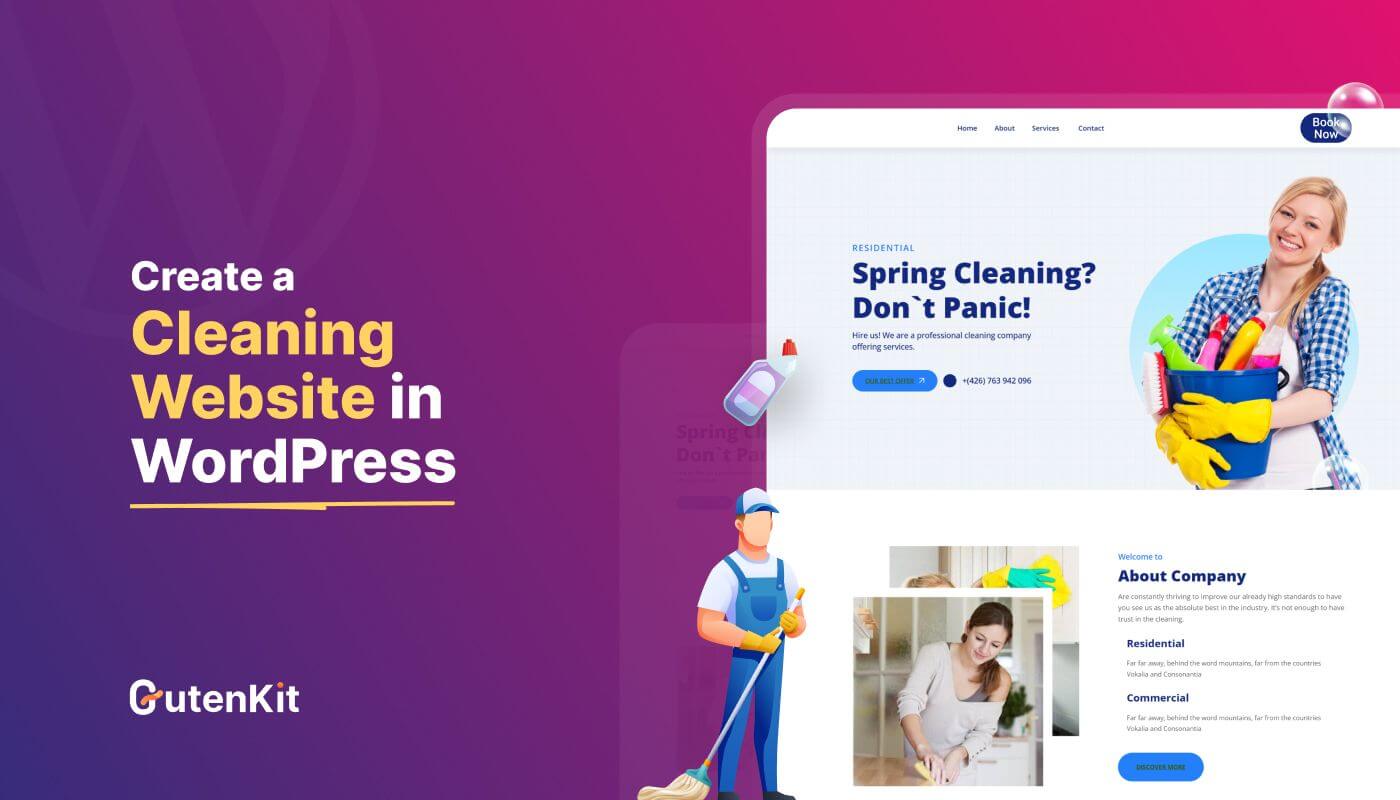
If you are delaying your cleaning website creation by thinking you will need professional developer, then it’s high time to change that mindset. In WordPress, no coding knowledge is required to launch a website.
WordPress makes it that simple for anyone to design a professional cleaning website without coding expertise.
Additionally, with GutenKit, you can build a fully responsive and conversion-friendly cleaning website in no time with its templates and blocks. Let’s check out the step-by-step guide to launch your cleaning website in Gutenberg.
Quick Overview
Here’s the steps of how to launch your cleaning website in WordPress in less than a few hours:
Step 1: Install GutenKit
- Go to Plugins → Add New, search for GutenKit.
- Click Install and Activate.
Step 2: Add a New Page
- Navigate to Pages → Add New.
- This page will serve as your cleaning website.
Step 3: Import a Cleaning Website Template
- Click Template Library at the top-left.
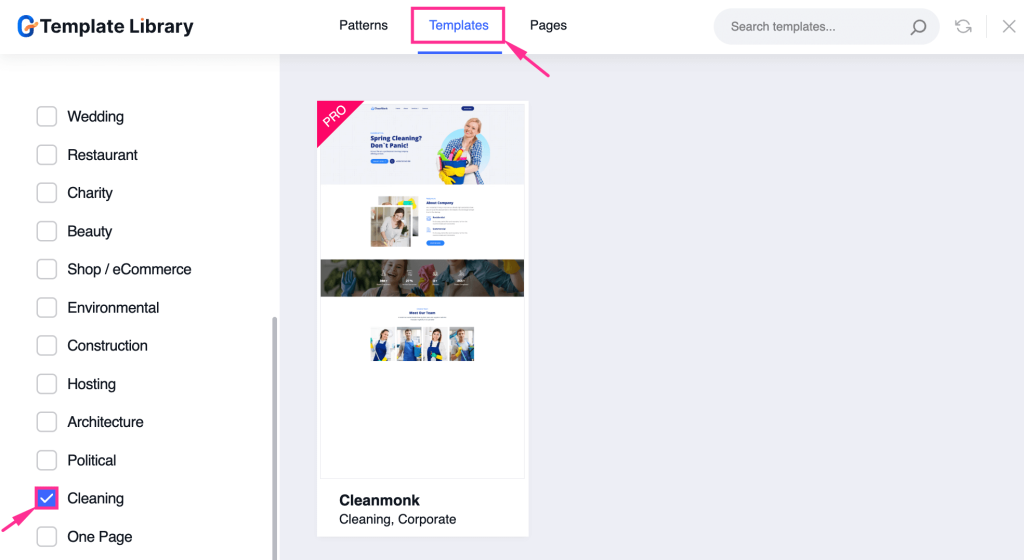
- Select the Cleaning category.
- Preview templates and click Import to add one to your page.
Step 4: Customize the Layout
- Adjust Container Width, Content Width, Column & Row Gaps.
- Configure Background, Border, Shape Divider, and Overflow settings.
- Align items, set spacing, and tweak layout styling.
Step 5: Customize the Content
- Edit Headings, Subtitles, Descriptions, Buttons, and Images.
- Adjust Typography, Colors, Hover Effects, Margins, and Padding.
- Personalize all sections to match your brand.
Step 6: Publish Your Cleaning Website
- Review your template and content.
- Click Publish to make your website live.
Table of Contents
How to create a cleaning website in WordPress (Step-by-step guide)
Creating a cleaning website takes minimal effort in WordPress, as it comes with pre-built template support. Simply import a template and customize it accordingly. The entire process takes no time to follow.
So, here are the five steps that you need to follow to learn how to create a cleaning website in WordPress:
Step 1: Install GutenKit, a cleaning website builder.
First, you have to install a cleaning website builder to create a custom WP site. Above many options, we’ll adopt GutenKit as it provides a readymade cleaning website template.
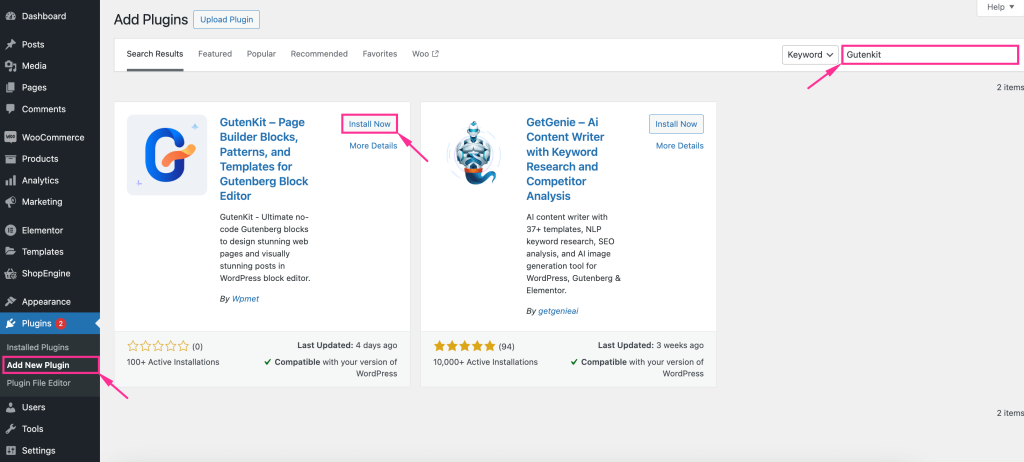
To install and activate this cleaning website service plugin, visit Plugins >> Add New Plugin and search for GutenKit in the search panel.
Then, hit the “Install” button to install GutenKit. After installation, activate GutenKit.
Step 2: Add a page for cleaning the website.
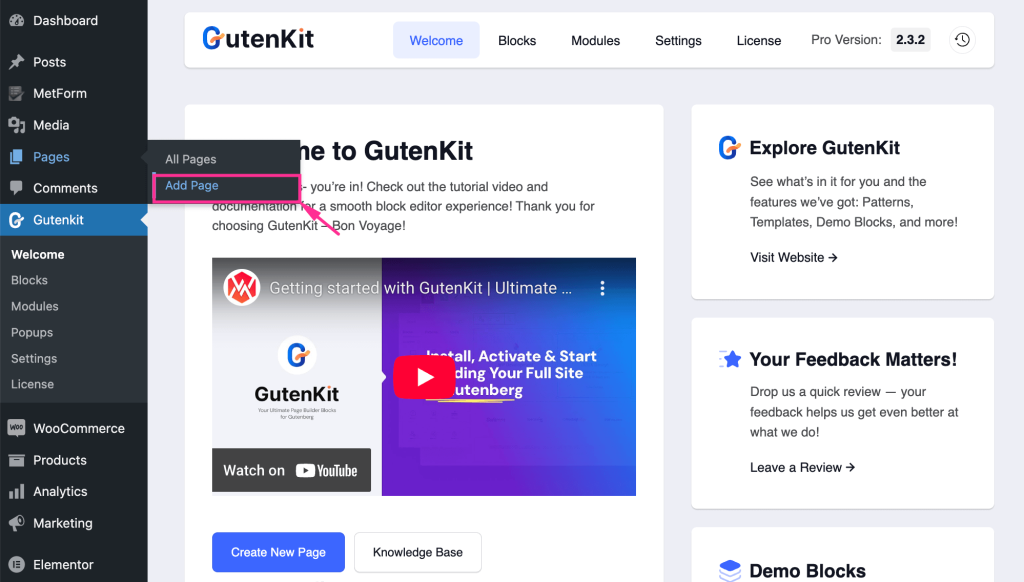
In the second step, you need to add a page for creating a cleaning website. For that, navigate to Pages >> Add Page, and you will be taken to a new page.
Step 3: Import the cleaning website template.
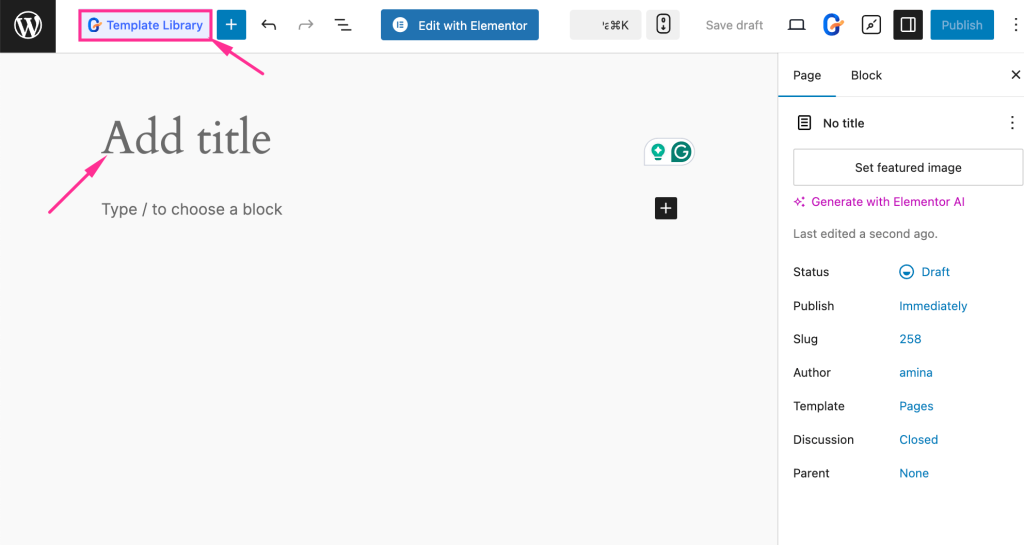
After directing to a new page, give a page title and press the “Template Library” button placed on the top left side.
Then, go to the “Templates” tab and select the “Cleaning” category. This will show you the available templates for a cleaning website.
Now, import a suitable template by clicking on it.
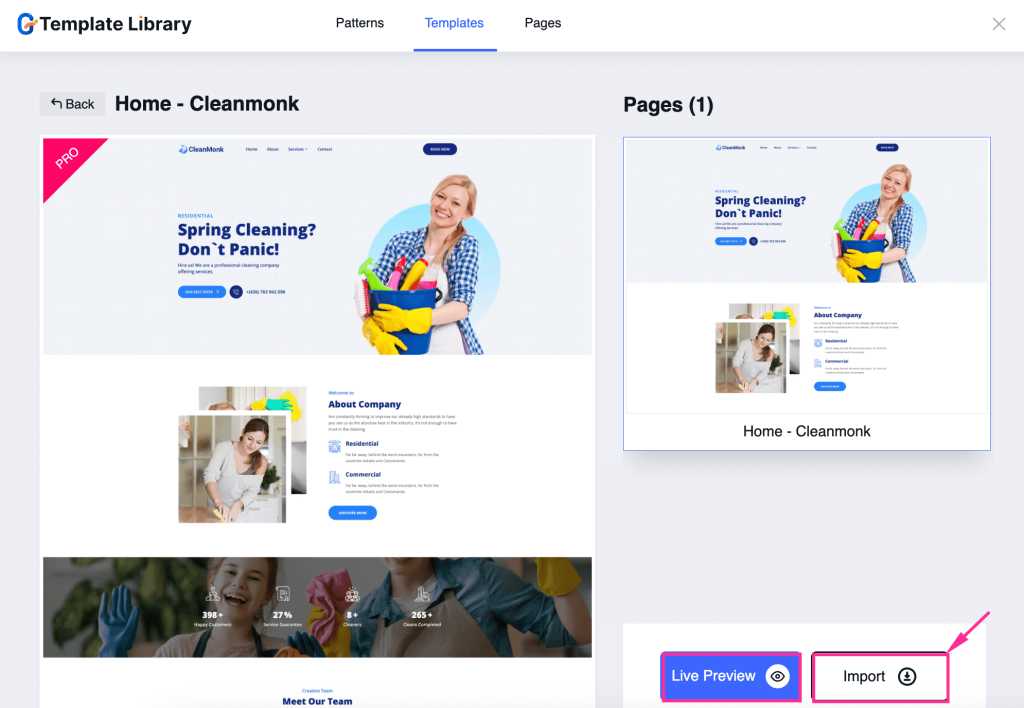
You will find two buttons, such as “Live Preview” and “Import”. After checking the live preview, press the “Import” button to add the selected cleaning website template to your page.
Step 4: Cleaning website layout customization.
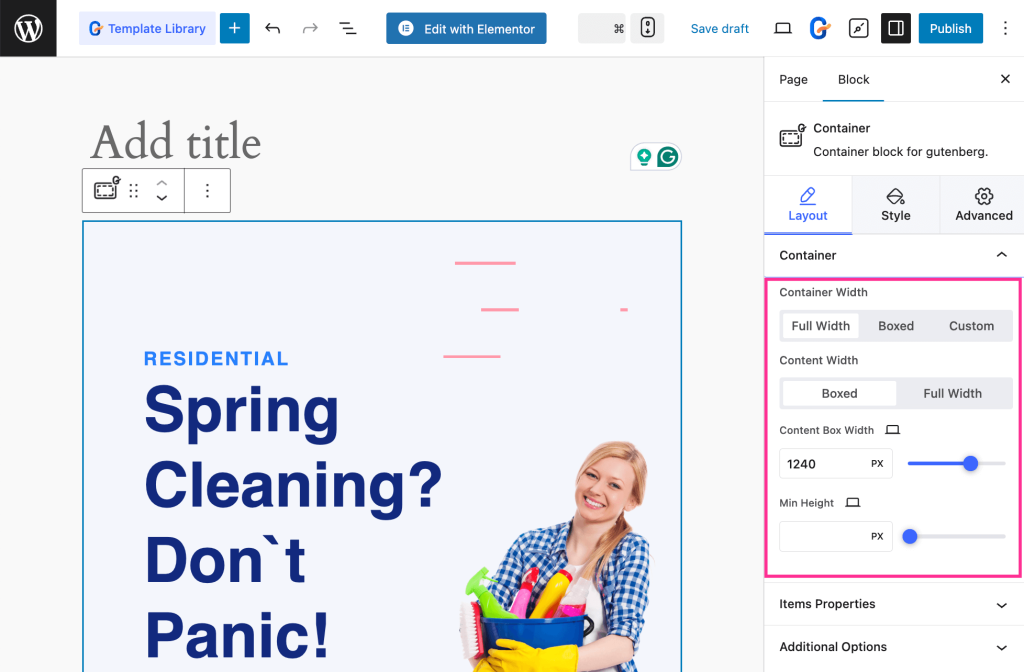
In this step, you have to customize the template layout with all the customization controls available on the right side.
For that, navigate to the “Layout” and expand the “Container” tab. Then, edit Container Width, Content Width, Content Box Width, and Min Height for Container.
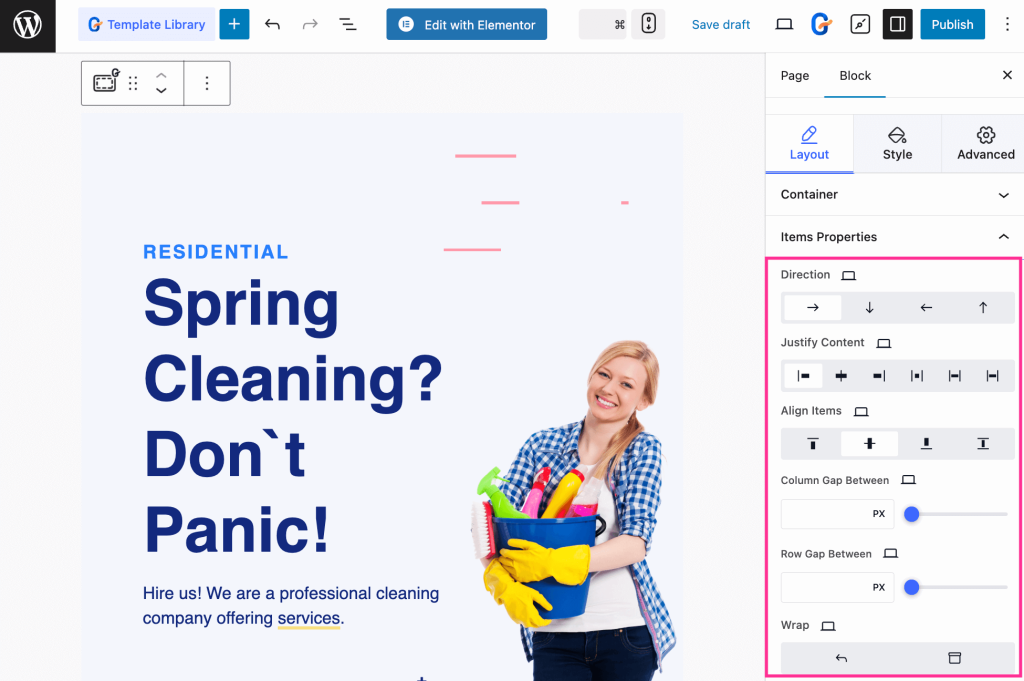
Next, expand the “Item Properties” and adjust Direction, Justify Content, Align Items, Column Gap Between, Row Gap Between, and Wrap.
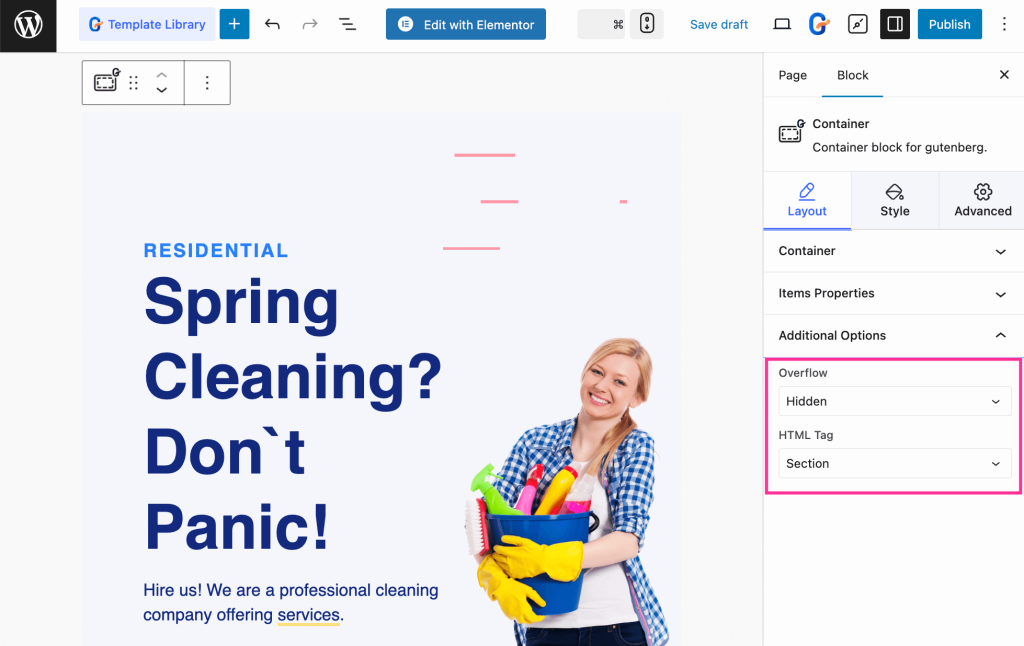
Again, select Overflow and HTML Tag from the dropdown menu.
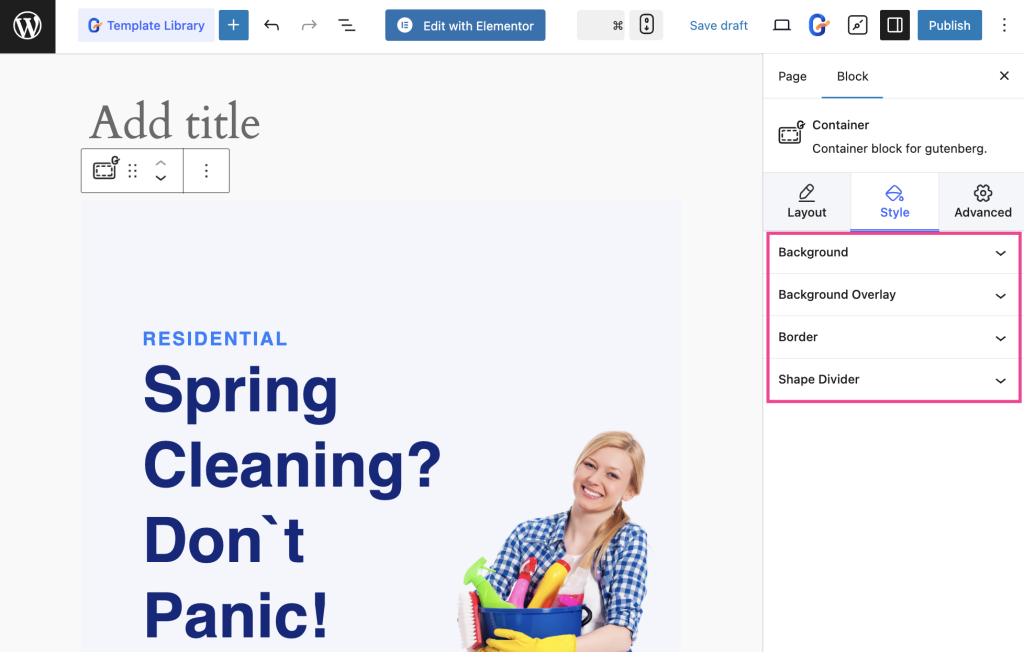
Further, you will find options for customizing the style of Background, Background Overlay, Border, and Shape Divider by configuring all the settings in the Style tab.
Step 5: Customize content of cleaning website.
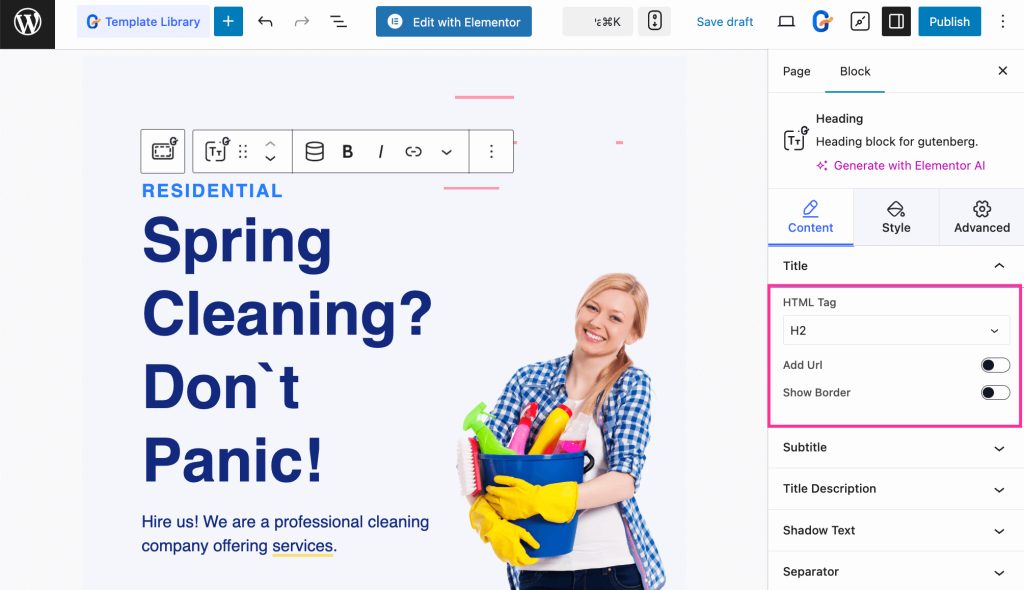
In the last step, choose “HTML Tag” from the dropdown menu. Also, add URL and Show Border by enabling the toggle buttons.
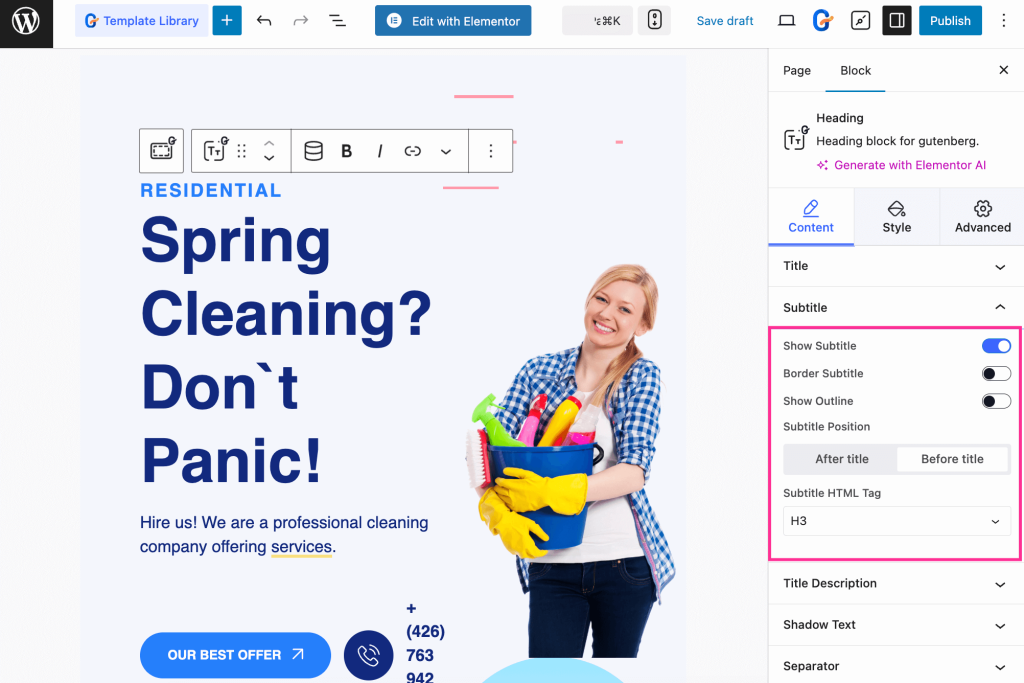
Afterwards, expand the Subtitle tab and turn on the toggle button for showing Subtitle, Border Subtitle, and Outline. Moreover, you can adjust the Subtitle position and the Subtitle HTML Tag.
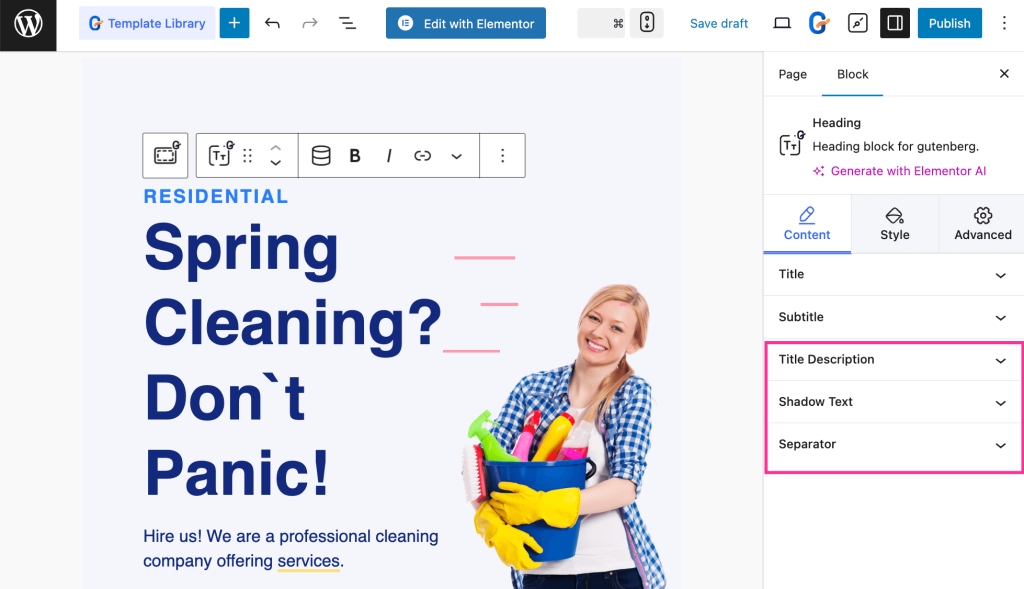
Similarly, adjust the Title Description, Shadow Text, and Separator for the content customization.
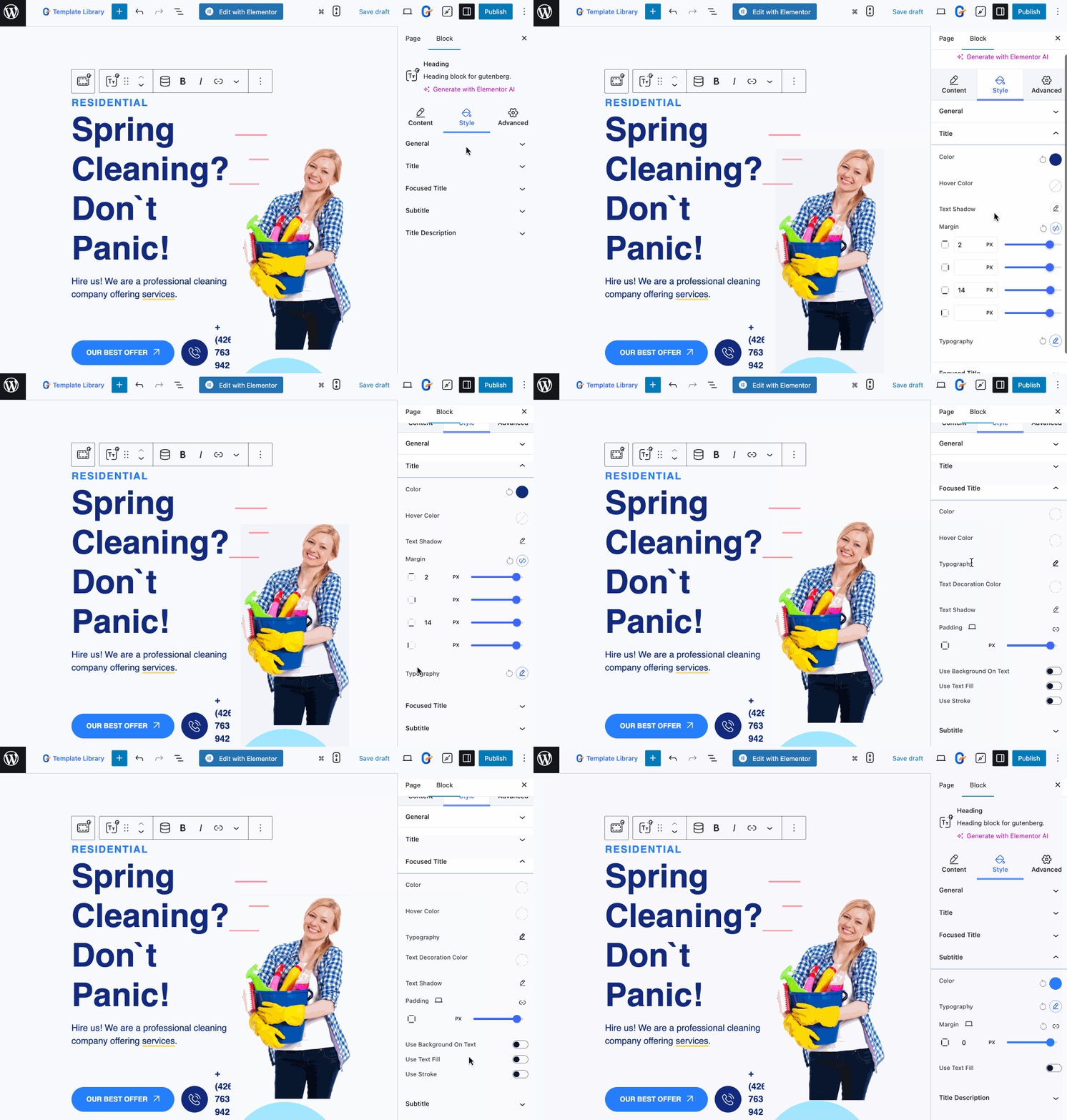
Also, you can customize the alignment, color, hover color, typography, text shadow, margin, padding, etc., for content style customization.
Finally, hit the “Publish” button after personalizing your cleaning website template.
Key pages your cleaning website should have
Your cleaning website should include a few core pages to build trust and convert visitors into customers:
- Home page: Your primary landing page that introduces your cleaning business. Highlight your services, value proposition, and strong call-to-action buttons like Book Now or Get a Quote.
- About us page: A brief overview of your business, experience, and values. This page builds trust and helps visitors understand why they should choose your cleaning service.
- Services page: A clear list of cleaning services you offer, such as residential, office, deep cleaning, etc. with short descriptions for each.
- Booking/contact page: A conversion-focused page where visitors can request quotes or schedule cleaning services using a simple form or contact details.
- Testimonials page: Displays customer reviews and feedback to establish credibility and attract potential clients.
FAQs
Do you need to code to create cleaning website in WordPress?
No, you don’t need coding skills to add a cleaning website. With no-code solutions like GutenKit, you will be able to build a cleaning website despite being a non-tech-savvy person.
Are cleaning website templates fully customizable?
Yes, cleaning website templates provided by GutenKit are fully customizable. Whether you want content or style customization, everything is possible with this cleaning website builder.
How to create a device-optimized cleaning website?
Using a device-optimized plugin like GutenKit allows you to create a mobile-friendly cleaning website in WordPress. So, focus on choosing a device-optimized plugin to create a cleaning website.
✅ Bonus guide: Learn how to create a charity website in WordPress.
Wrapping up
That’s it! The no-code guide to creating a fully customizable cleaning website is unwrapped. Now, you are a few steps away from launching one. With GutenKit’s prebuilt template and flexible customization options, you can craft a cleaning business website in a few clicks.
Also, you can enjoy the freedom of website creation and customization to the fullest. So, let’s ensure your online presence in the simplest way possible.
Leave a Reply