




The right page builder means:
→ No coding required
→ Plenty of design elements
→ Beginner-friendly setup
Building a professional WordPress site can be tough if you choose the wrong tool. Not every popular page builder is the right fit for everyone. That’s why we’ve compared the best WordPress page builders to show you which one works best for different needs.
Let’s explore the 8 best WordPress page builders and find the one that’s right for you.
Quick Overview
The best WordPress page builder makes it easy to design beautiful websites without coding. Among the top picks is Gutenberg. With GutenKit, Gutenberg offers tons of templates, blocks, advanced and highly flexible controls.
In addition to Gutenberg, here are 8 of the top page builders to consider:
- Gutenberg: A powerful block editor that gets even better with addons like GutenKit for more design flexibility.
- Divi: Known for its huge marketplace and community-made modules, offering an all-in-one solution.
- Beaver Builder: A stable, white-label-friendly choice with a smaller, but reliable ecosystem.
- SeedProd: Perfect for marketers, with built-in integrations for email and marketing tools.
- Thrive Architect: Focuses on conversions with its robust, self-contained Thrive Suite (fewer 3rd-party addons).
- Elementor: The largest ecosystem of free and premium addons, with tools like ElementsKit offering all-in-one solutions.
- Oxygen: A smaller but highly customizable and performance-oriented builder.
- Themify: Comes with 25+ exclusive addons, offering a cohesive experience for Themify users.
Table of Contents
Understanding Page Builder
A page builder is a WordPress plugin or tool that lets you design and customize your website without writing code. You don’t need to work with complex HTML or CSS; there is a drag-and-drop editor to add elements like text, images, buttons, and layouts directly onto your pages.
As a whole, page builders make it easier for you to create polished websites. At the same time, they offer advanced options for experienced users who want more control over design and functionality.
8 Best WordPress Page Builders at a Glance
To help you compare quickly, here’s a snapshot of the 8 best WordPress page builders.
| Page Builder | Good For Whom | Addons | Pricing |
|---|---|---|---|
| Gutenberg | Bloggers & all site owners who want lightweight, native, and full site editing facilities | Growing via block libraries. Addons like GutenKit provide sophisticated, ready-to-use blocks and design options that fill the gaps left by the core editor. | Free, built into WordPress |
| Divi | Designers & agencies needing tons of layouts & visuals | Excellent official Divi Marketplace and community-made modules/plugins. | $89/year and $249 lifetime |
| Beaver Builder | Agencies & developers who require stability and clean code | Smaller but highly stable and white-label-friendly ecosystem. | From $99/year |
| SeedProd | Marketers focusing on landing pages & funnels | Integrates tightly with major email and marketing tools. Smaller 3rd-party module market, as core features are built-in. | From $39.50/year |
| Thrive Architect | Entrepreneurs & course creators focused on conversions | Limited 3rd-party addons, as it relies on its own robust, integrated Thrive Suite. | $99/year or Thrive Suite $299/year |
| Elementor | Small businesses & creators. They’ll enjoy flexibility + templates | The largest ecosystem of both free and premium 3rd-party addons. Addons like ElementsKit are ‘all-in-one’ solutions | Free, Pro from $59/year |
Oxygen | Developers building custom, high-performance sites | Smaller, performance-oriented ecosystem. | One-time fee from $129 lifetime |
| Themify | Creatives & small businesses. They’ll get affordable design effects | Themify-Only – Relies on its own bundle of 25+ exclusive, included addons that expand its Builder functionality | $69/year or $89 lifetime club |
In-Depth Look at the 8 Best WordPress Page Builders
Below is a detailed breakdown of the features, pros, and cons for each of the 8 best tools.
1. Gutenberg
Gutenberg is WordPress’s built-in editor. But, you can consider it as the future direction of WordPress itself. Introduced in 2018, it replaced the classic editor with a modern block-based system. Afterward, it has grown into a framework for Full Site Editing (FSE). Because it’s part of WordPress core, it’s continuously maintained and updated. And you’ll enjoy long-term stability with the builder. If you want to avoid plugin lock-in and stick with a native solution, Gutenberg is your safest bet.
To get premium design elements, users turn to a third-party tool. GutenKit is a prime example of this. While GutenKit is a free WordPress page builder addon for Gutenberg, it offers a range of advanced features. It offers 65+ page builder blocks, 20+ versatile modules, and 900+ pre-designed templates. With GutenKit, you gain powerful design capabilities while simultaneously enjoying native speed and performance.
Key Features
- Block-based editing system with reusable blocks.
- Native integration with all WordPress themes and plugins.
- Regular updates as part of WordPress core.
- Expanding Full Site Editing capabilities for headers, footers, and templates.
Pros
- Completely free, it comes built into WordPress.
- Lightweight and fast, no extra bloat.
- Future-proof since it’s the default WordPress editor.
- Strong third-party block add-on ecosystem (Kadence, Spectra, etc.).
Cons
- Limited design flexibility without third-party block plugins.
- Visual design experience is not as intuitive as others.
- Customization often requires CSS knowledge.
2. Divi
Divi by Elegant Themes is one of the most solid and well-known page builders in the WordPress world. With its visual drag-and-drop editor and an extensive library of pre-made layouts, it’s a favorite among those who want limitless creative freedom. Divi isn’t just a builder; it’s a full ecosystem with built-in split testing, global design controls, and ongoing updates.
Key Features
- Real-time visual drag-and-drop editing.
- 2,000+ layout packs across industries.
- Built-in split testing or A/B testing.
- Responsive design controls for desktop, tablet, and mobile.
- Powerful theme builder for headers, footers, and templates.
Pros
- Massive design flexibility.
- Regular updates and a strong Elegant Themes community.
- All-in-one solution with built-in marketing tools.
Cons
- Can slow down websites if not optimized properly.
- Large feature set might create a learning curve for beginners.
- Short-term site lock-in, difficult to switch away from Divi later.
3. Beaver Builder
Beaver Builder is known for being one of the most stable and reliable page builders. It doesn’t offer tons of flashy widgets like competitors, but its clean code and strong stability make it a favorite among agencies and developers. Overall, Beaver Builder can be the professional’s choice for building client websites at scale.
Key Features
- Front-end drag-and-drop editing with live preview.
- Clean, semantic code output.
- Large template and module library.
- Developer-friendly with hooks and filters for customization.
- Compatibility with most WordPress themes.
Pros
- Extremely stable through major WordPress updates.
- Clean code makes customization easier.
- Reliable for building multiple client sites.
Cons
- Limited design widgets compared to competitors.
- Smaller third-party ecosystem.
4. SeedProd
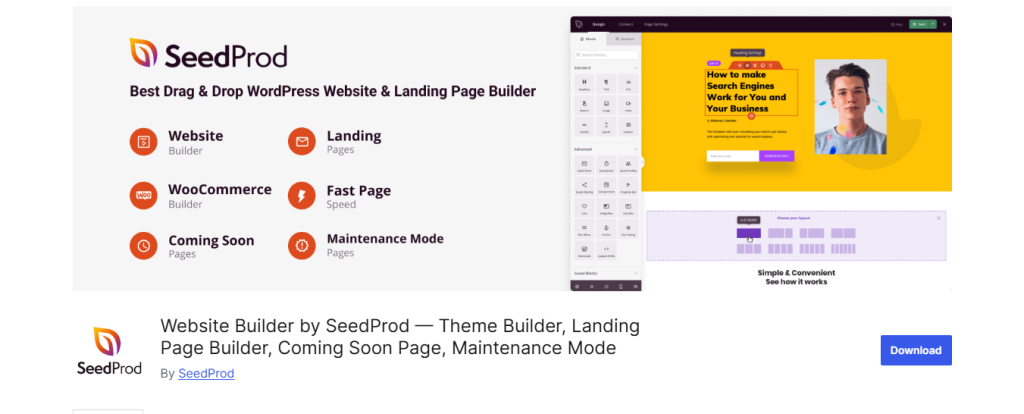
SeedProd began as a maintenance or coming soon plugin. But it has evolved into one of the most conversion-focused landing page builders for WordPress. SeedProd’s strength lies in creating high-converting landing pages that integrate directly with popular CRMs and email services. If you’re running promotions, product launches, or sales funnels, SeedProd is one of the most efficient solutions available.
Key Features
- Coming soon and maintenance mode options.
- Direct integrations with Mailchimp, ActiveCampaign, ConvertKit, and more.
- Lightweight and laser-focused on speed.
- Library of conversion-optimized templates.
Pros
- Built specifically for marketers and landing pages.
- Set up is simple and beginner-friendly.
- Integrates smoothly with email services and CRMs.
Cons
- Limited to building full websites.
- Smaller design library compared to others.
- Requires multiple licenses for multiple sites.
5. Thrive Architect
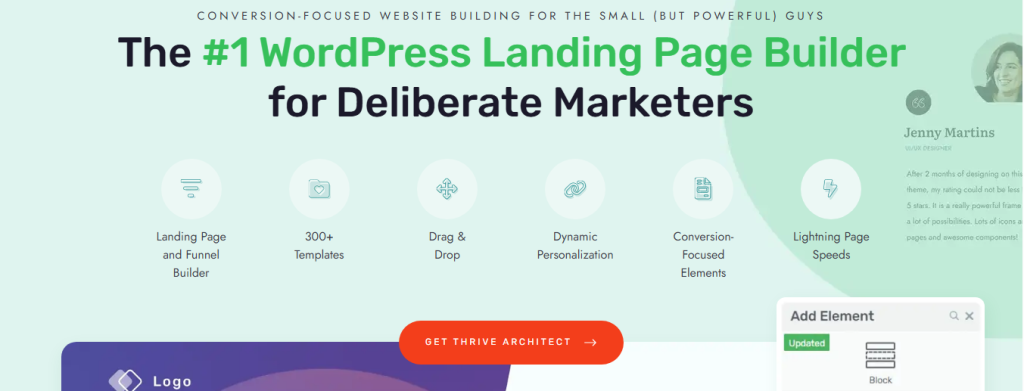
This page builder for WordPresis is part of the Thrive Suite, a bundle of tools designed for online entrepreneurs. What sets Thrive Architect apart is its conversion-first philosophy. Instead of just layouts and design widgets, it focuses on building opt-ins, sales pages, and funnels that convert. With elements like countdown timers, testimonial grids, and built-in lead generation, it’s a strong choice for coaches, consultants, and online educators.
Key Features
- Dozens of conversion-focused widgets.
- Deep integration with Thrive Suite tools.
- Library of pre-designed sales and opt-in templates.
- Dynamic text replacement for personalization.
Pros
- Built with conversions and marketing in mind.
- Seamless integration with Thrive Suite ecosystem.
- Regular updates focused on business results.
Cons
- Best value only when bought as part of Thrive Suite.
- Steeper learning curve for non-marketers.
- Less flexible for purely design-heavy projects.
6. Elementor
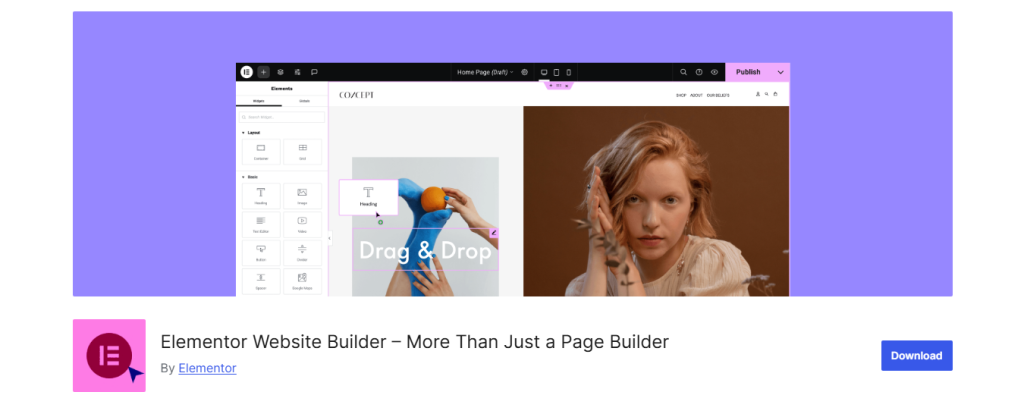
With over 10 million active installs, Elementor is one of the leading page builders in the WordPress ecosystem. Its success comes from a balance of ease-of-use, design freedom, and a massive ecosystem of templates and third-party add-ons. Elementor is flexible enough for freelancers, agencies, and DIY site owners. However, its reliance on add-ons can lead to performance issues if overused.
This ecosystem is where comprehensive solutions like ElementsKit shines. It provides advanced modules like a Mega Menu Builder and Header/Footer functionality.These features often extend capabilities that are otherwise exclusive to Elementor Pro.
Key Features
- Drag-and-drop live editor with 90+ widgets.
- 300+ professionally designed templates.
- WooCommerce builder for online stores.
- Global design system for branding consistency.
- Huge add-on ecosystem for extended features.
Pros
- Extremely user-friendly for beginners.
- Huge template and widget library.
- Large community and resource ecosystem.
- Strong free version with plenty of features.
Cons
- Can become bloated with too many add-ons.
- Performance issues on poorly optimized hosting.
- Support can feel slow due to scale.
7. Oxygen

Oxygen is unlike any other page builder in WordPress because it replaces the WordPress theme system entirely. This makes it one of the most developer-friendly and performance-focused options. It outputs lean, semantic code and gives full control over every part of your site. However, its steep learning curve makes it unsuitable for casual users. Oxygen is best for developers or advanced users who want total freedom and scalability.
Key Features
- Theme replacement system with complete site control.
- Clean, optimized code output.
- Advanced dynamic data integration.
- Global colors and styles for consistency.
- Lifetime license option with unlimited updates.
Pros
- Incredible design control for developers.
- Fast and SEO-friendly output.
- One-time lifetime pricing is cost-effective.
- No theme dependency.
Cons
- Steep learning curve for beginners.
- Requires technical knowledge to unlock full power.
- Client handover can be difficult for non-tech users.
8. Themify
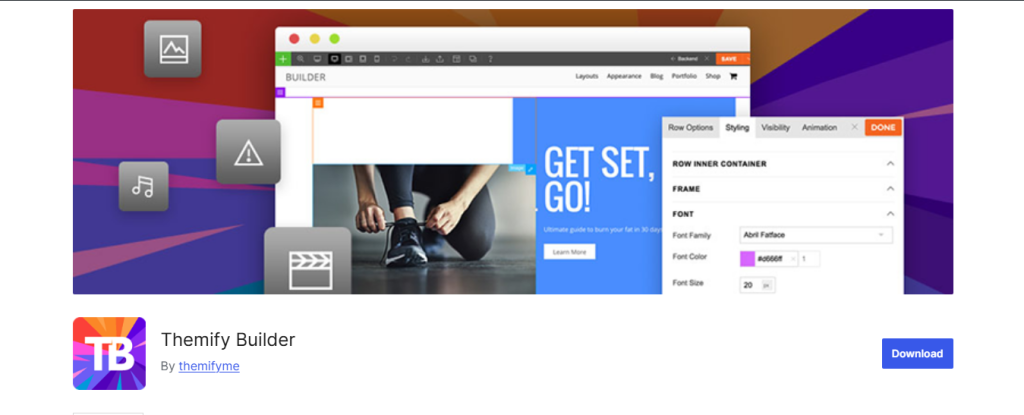
Themify has been around for over a decade and remains a budget-friendly option for creative users. While less polished than Elementor or Divi, it offers fun design features like motion effects and pre-designed skins. These features particularly appeal to creatives. Themify’s WooCommerce compatibility also makes it a decent option for small shops looking for affordable solutions.
Key Features
- Drag-and-drop builder with live preview.
- Motion effects and animations.
- Pre-designed skins for quick site setup.
- WooCommerce integration.
- Builder add-ons for extended functionality.
Pros
- Very affordable compared to competitors.
- Unique animations and creative options.
- Simple and easy for beginners.
- Good balance of design and cost.
Cons
- Less polished than premium builders.
- Smaller ecosystem and fewer third-party tools.
- Not ideal for complex or large-scale projects.
Summing Up
The 8 best WordPress page builders you’ve explored each bring unique strengths. Whether you need advanced customization or beginner-friendly controls, make sure it helps you save time while offering limitless design possibilities. So check carefully, choose the one that fits your goals. Hope you’ll be on your way to building a website that not only looks great but also performs without friction.
Leave a Reply