




Creating an architecture website no longer requires coding skills with the right website builder like GutenKit. With this tool, you can create a professional and stunning website without a huge budget.
GutenKit offers pre-designed templates intended for architecture, so you won’t need to spend too much time building and designing your website. If you prefer to build it from scratch, the tool has various patterns designed professionally.
So, if you are an architect who wants to expand your reach, this blog post is tailored just right for you. With your basic skills, accompanied by GutenKit, you can easily create your architecture website.
That’s really good news, isn’t it?
Quick Overview
Building an architecture website is fast and easy with the help of a website builder like GutenKit. It offers pre-made templates and patterns to create a whole professional architecture website.
Things you need:
➡️ Domain name, which you can find online.
➡️ Web hosting, like WordPress, to store your files.
➡️ GutenKit as the website builder in Gutenberg.
The process in building your architecture website includes:
✅ Install GutenKit: Download and activate the plugin via the WordPress dashboard to unlock advanced blocks.
✅ Create a Page: Open a new page in WordPress to serve as your blank architectural canvas.
✅ Import a Template: Use the GutenKit library to select a professionally designed Architecture template that sets the structure instantly.
✅ Customize Everything: Swap out placeholder images for your projects, adjust typography, and set global colors to match your brand identity.
✅ Preview & Publish: Test the responsiveness and links before going live to ensure a seamless client experience.
Table of Contents
What is the Easiest No-code Website Builder?
When it comes to building WordPress sites without coding, the Gutenberg editor stands out due to its speed, flexibility, and future-proof design. But the real magic happens when you extend it with the right plugin.
Why choose GutenKit for building an architecture website
After testing multiple page builders, I found GutenKit to be the easiest and most intuitive solution, especially for design-heavy niches like architecture.
Here’s what makes GutenKit ideal:
- Drag-and-drop blocks with zero coding required
- Pixel-perfect templates designed for professional industries, including architecture
- Lightweight and fast-loading, perfect for image-heavy portfolios
- Global styling options for brand consistency
- Advanced animations and effects that make your work visually appealing
- Seamless integration with WordPress Gutenberg
GutenKit practically feels like a design studio for website creation.
How to Create an Architecture Website Without Coding
First, you need a working WordPress website. You only need these three things:
- Domain name, which you can easily find online.
- Web hosting to store your website files, and WordPress.com is the best choice.
- GutenKit as your Gutenberg website builder.
Step 1: Download and Activate GutenKit
Begin by installing the GutenKit plugin on your WordPress site. Log in to your WordPress Dashboard and navigate to Plugins → Add New. Search for “GutenKit”, then click Install Now. Finally, click Activate to enable the plugin.
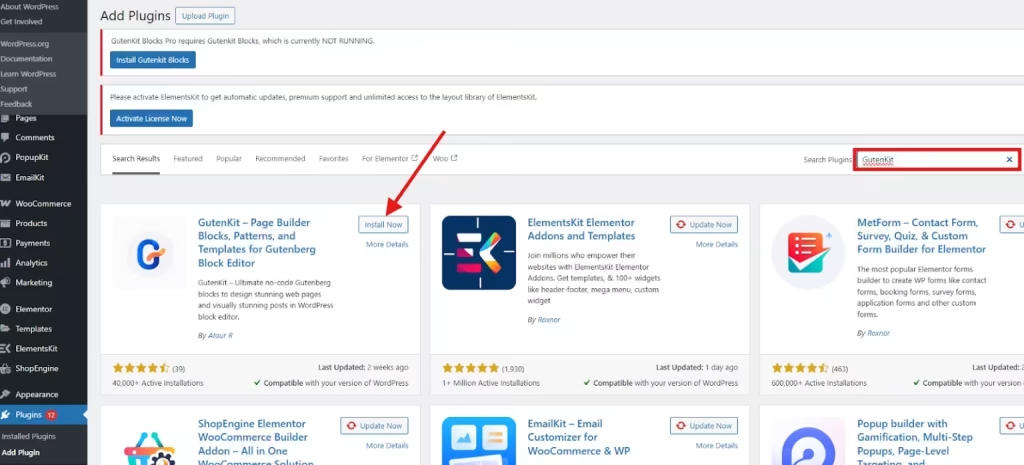
Once activated, GutenKit adds dozens of new blocks and pre-built templates to your Gutenberg editor.
Step 2: Open a New Page
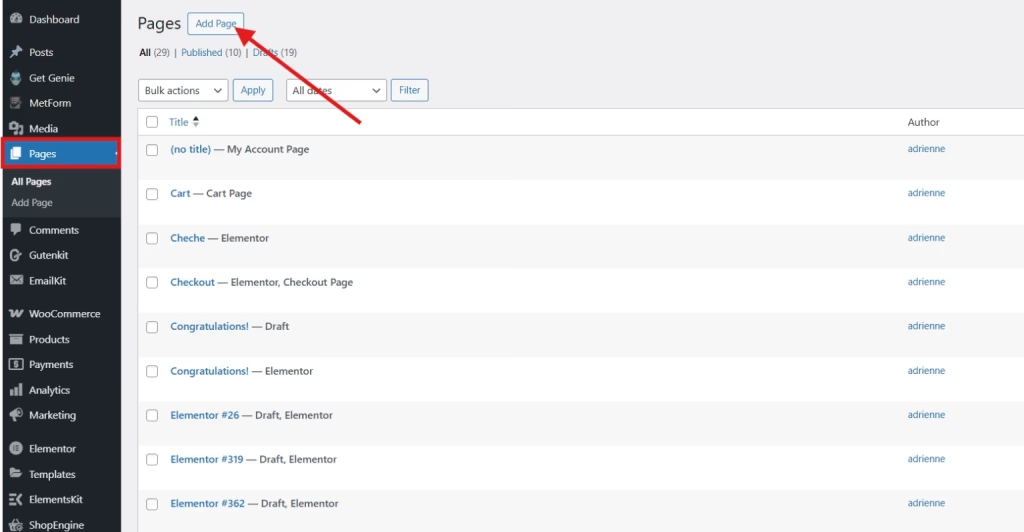
Next, create a new page for your architecture website. In your WordPress dashboard, go to Pages → Add New to open a blank page in the Gutenberg editor. GutenKit works smoothly with the block editor, so you won’t need any additional tools or plugins.
Give a name to your website. For example, “My Architectural Website.”
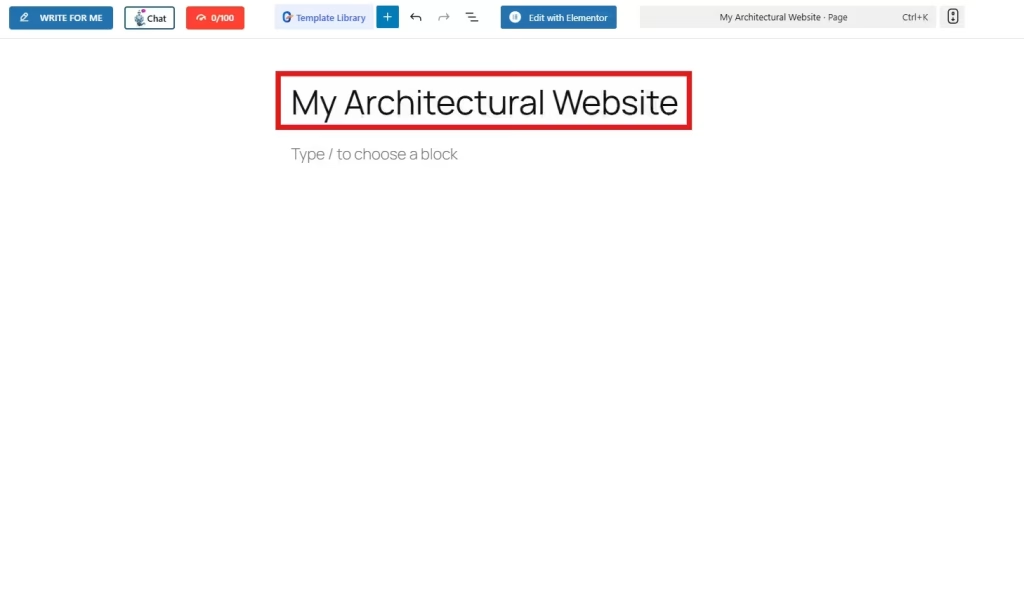
You now have a blank canvas ready for design.
Step 3: Add Architecture Website Template
With GutenKit as your Gutenberg plugin, you can pick visually driven templates for architecture. You can quickly import your chosen website template. Just open the GutenKit template library within the Gutenberg editor to access the full collection of templates.
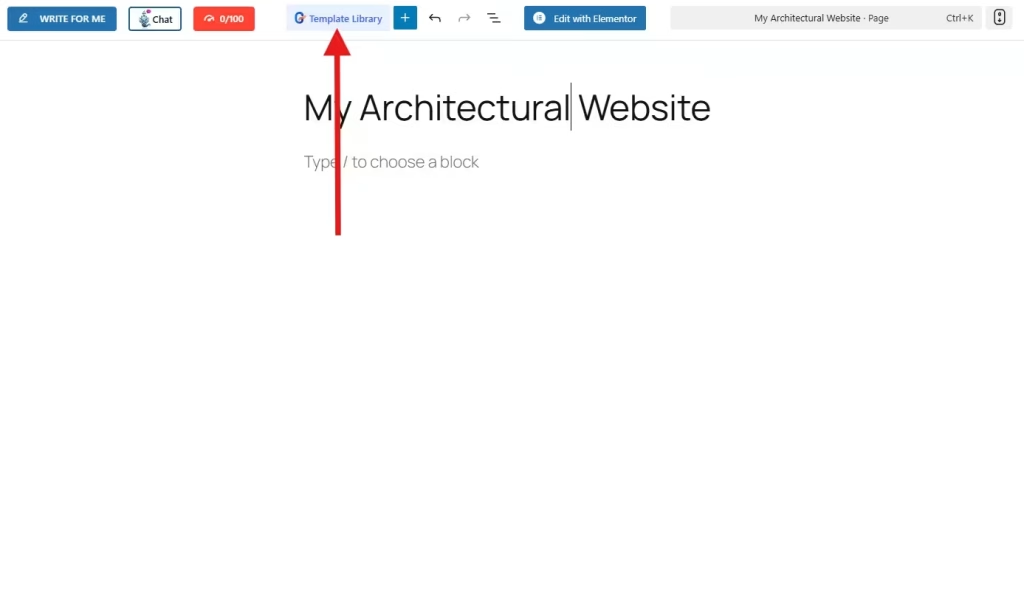
Go to the Templates tab and check the checkbox for the Architecture category so that only the templates for structural designs will appear.
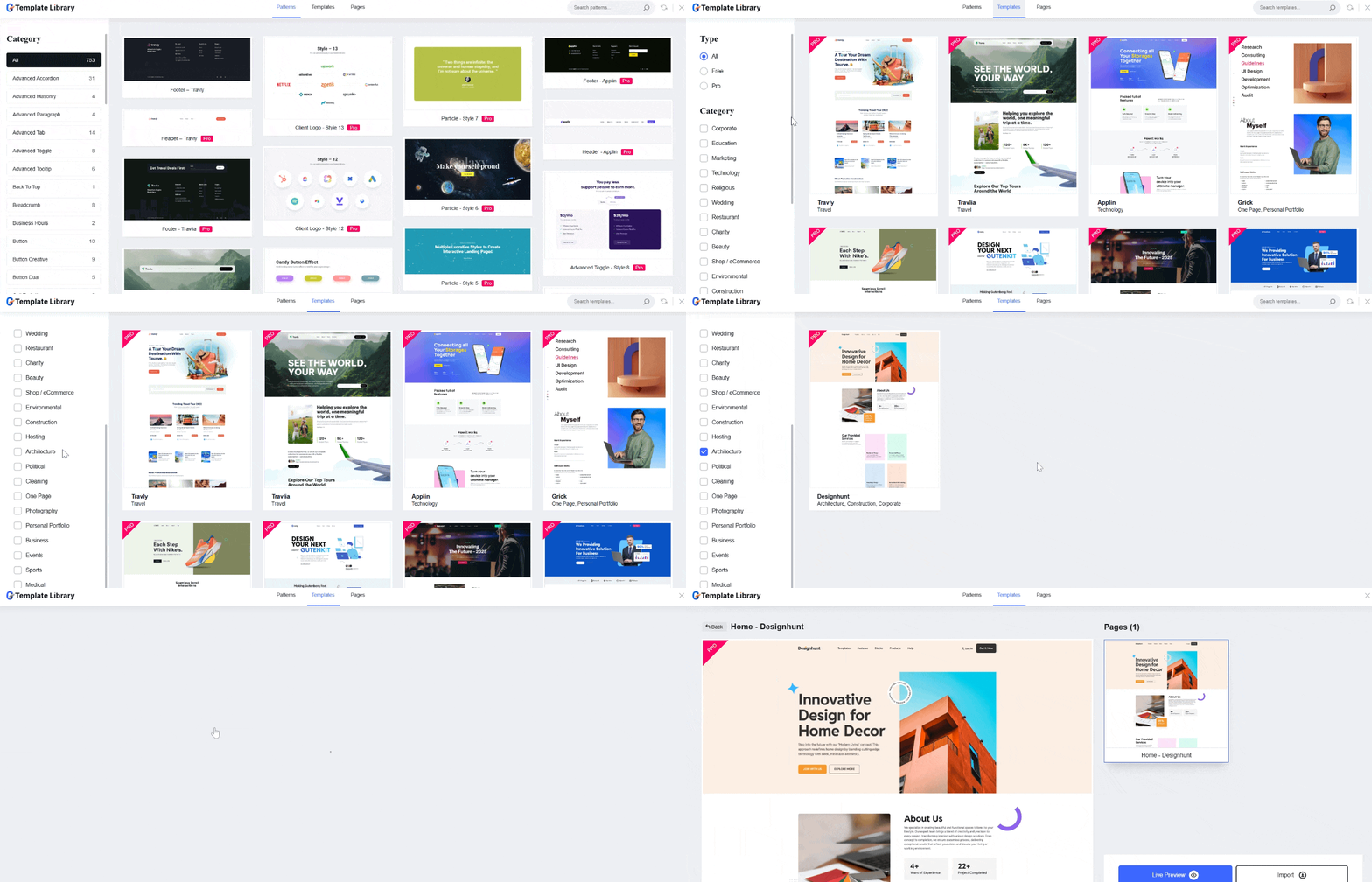
Select the template and import it into your Gutenberg page. You can also preview the template so that you can visualize what your architecture website will look like.
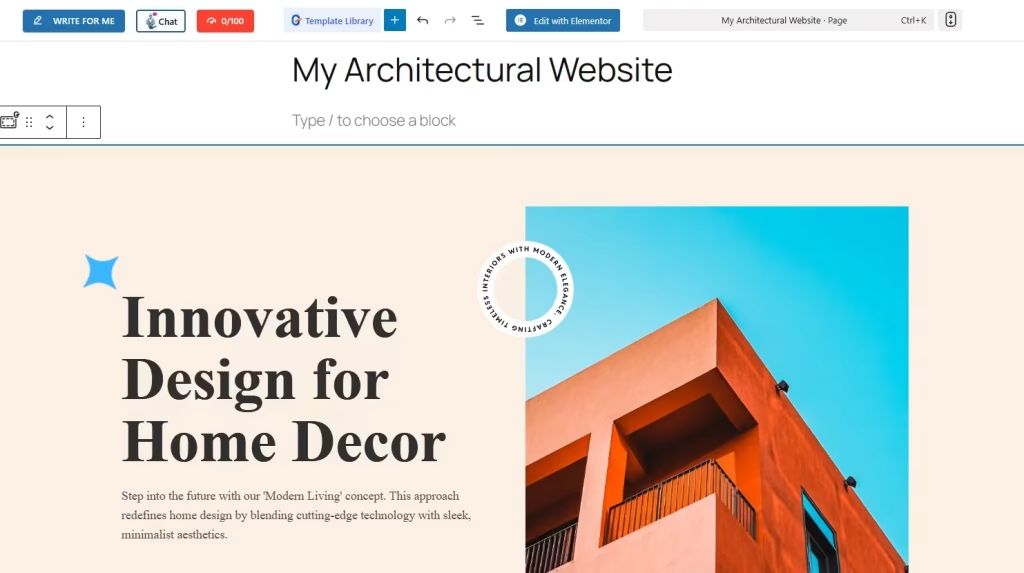
The entire structure loads instantly, giving you a professional starting point.
Step 4: Customize Your Template
The entire structure of your website loads instantly, giving you a professional starting point. With just a little customization, you’ll have a professionally working website.
You can customize anything by clicking and editing. Here are the things you can do with your template to make it yours.
- Replace images with your architecture project photos
- Adjust typography to match your brand
- Update text such as hero headings, project descriptions, and call-to-action buttons
- Rearrange blocks by dragging and dropping
- Add architectural portfolio grids using GutenKit’s advanced blocks
- Set global colors to match your brand identity
- Add animation effects to highlight key sections
The best part of the GutenKit template is its real-time updates.
To update the text information in your template, simply click on the text and replace it.
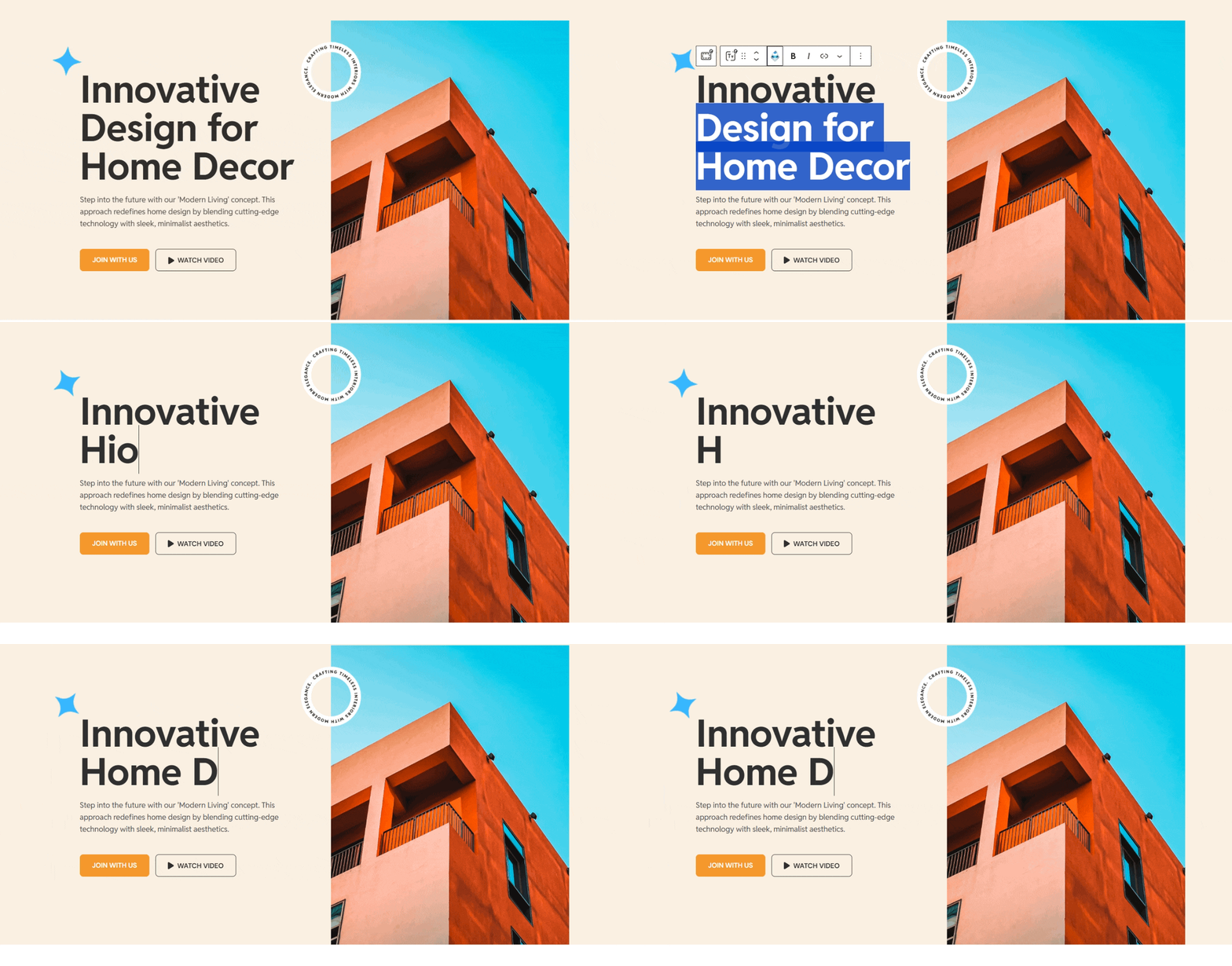
You can also replace the typography, color, size, etc of the text through the Gutenberg panel at the right side of your screen.
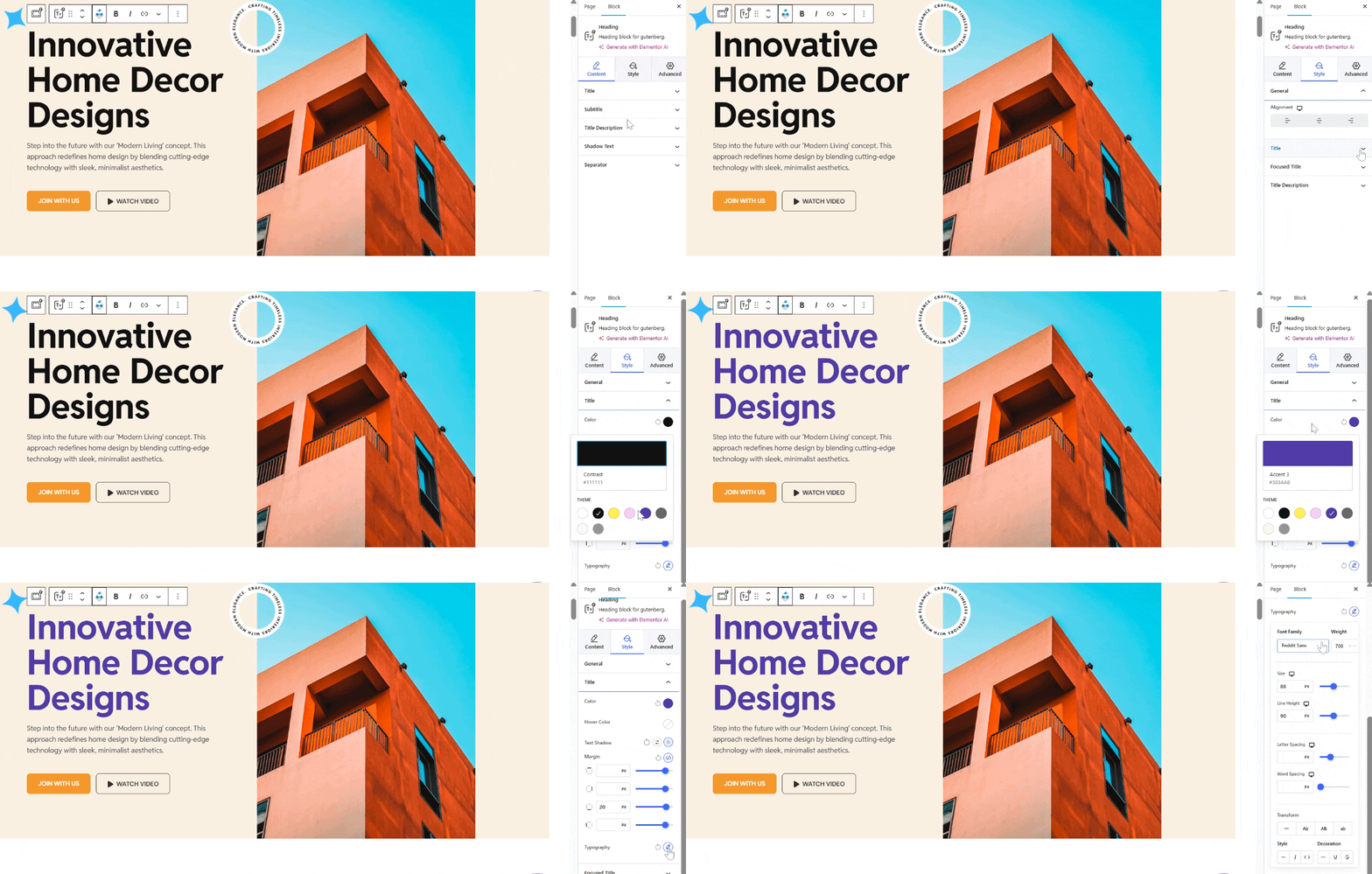
To change the image with your own image, simply click on the image and upload your desired image.
Moreover, you can add contact forms like a quote request form so that your interested client can reach you and inquire about the services you offer, including the pricing. You can embed your form in your CTA button. You only need to get the link to your form and add it.
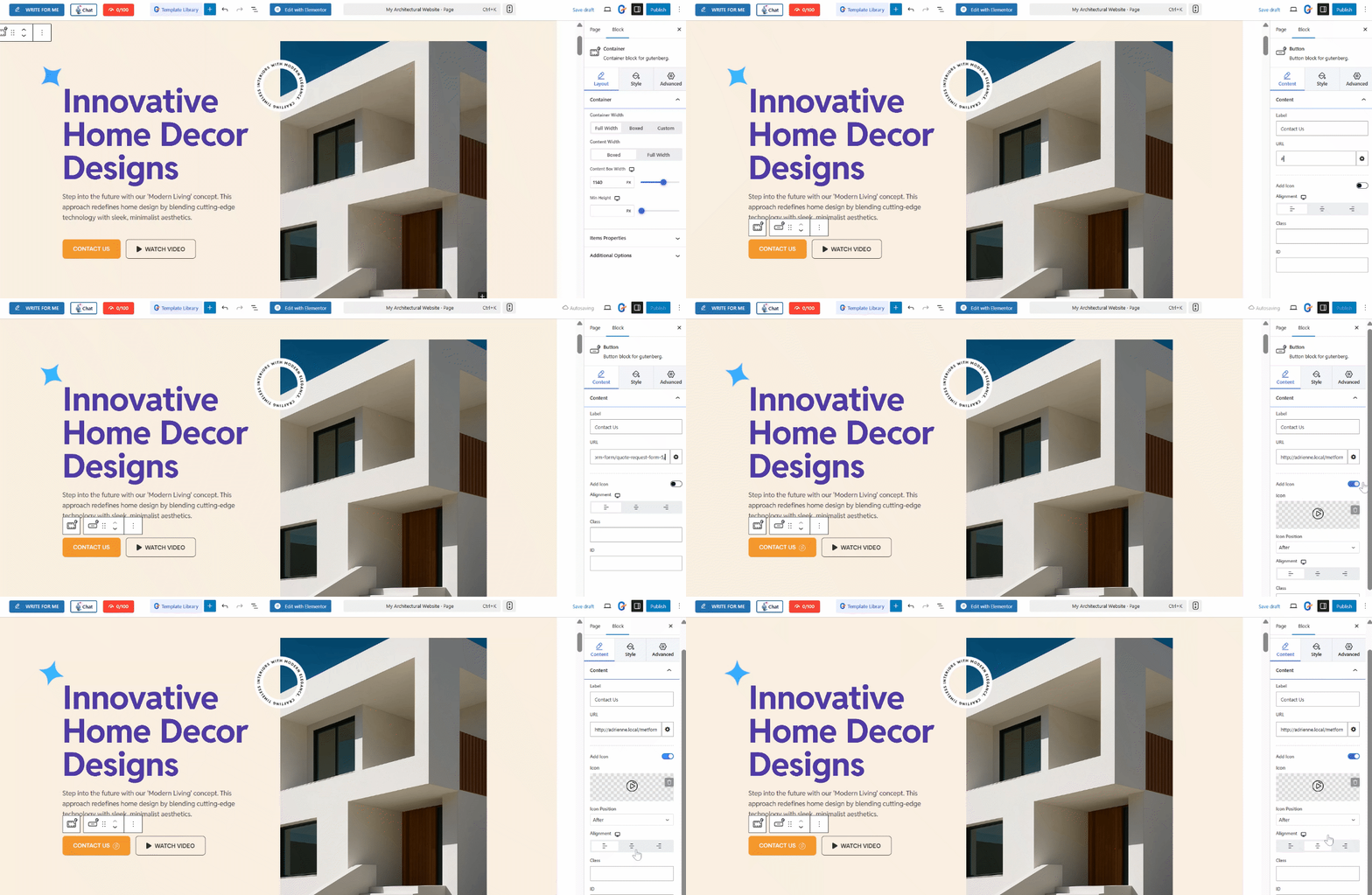
You can also add an icon to your CTA button for an aesthetic appeal. In the style tab, you can customize the appearance of your button by adjusting its width and border, changing the typography style, and even adding your preferred color that matches your theme.
If you don’t like the default background color of your layout, you may change it by clicking the whole section. Proceed to the Gutenberg panel and select background.
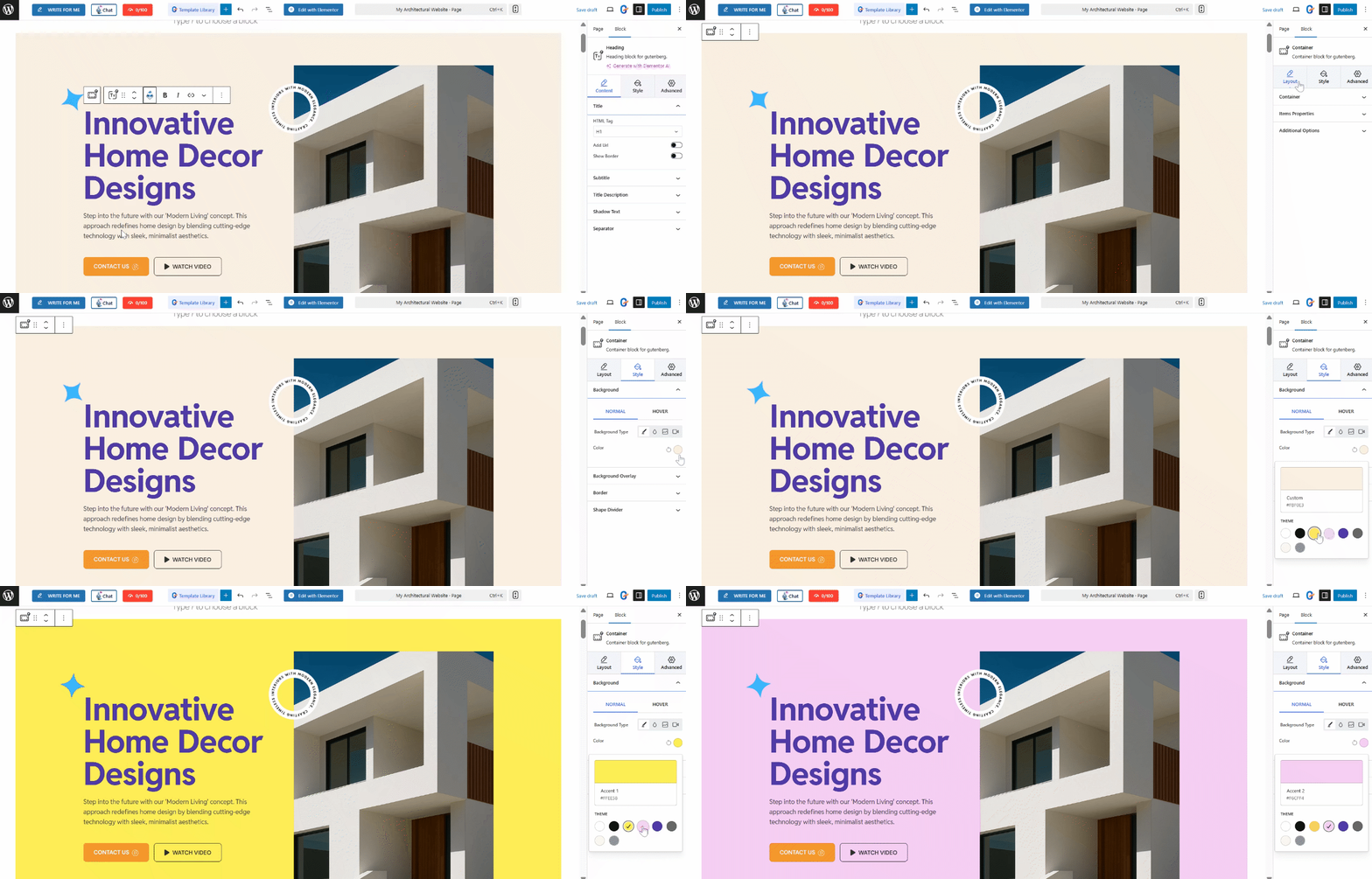
Furthermore, GutenKit also allows you to add additional sections or block on your templates. Just decide on which part of the template you want to add it to and click on the plus (+) icon. Search for the block and click on it. For example, you want to add navigation menu.
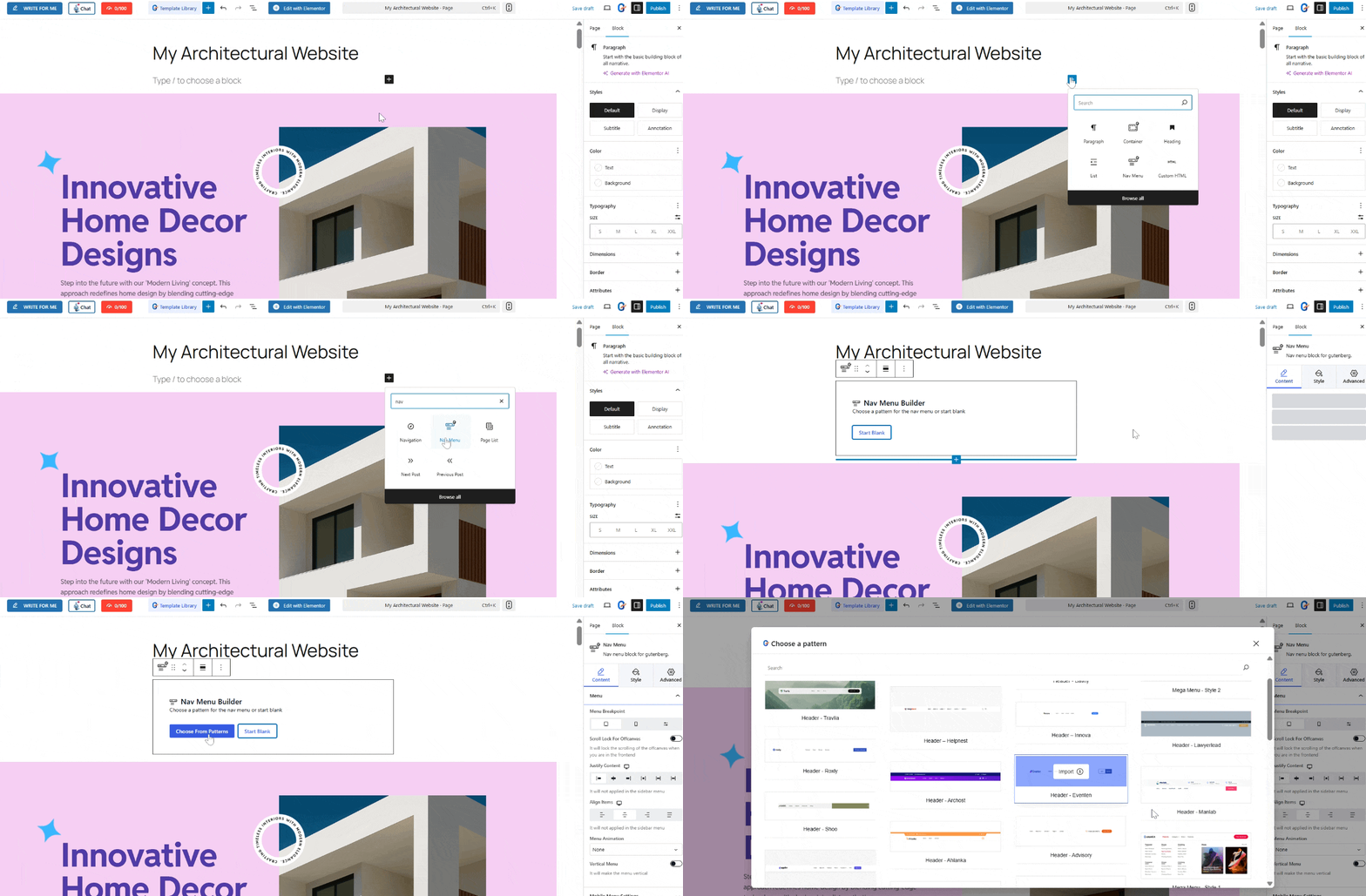
GutenKit allows you to select the choice of your pattern from its color palettes.
Step 5: Preview and Publish
Now, this is the last step. Before making your architecture website go live, preview it first. You will determine if all the sections functions. For example, if you linked a certain page in your CTA button, you can click on it to see if it will redirect to the ceratin page.
Make final adjustments for responsiveness if needed and hit Publish once you are satisfied.
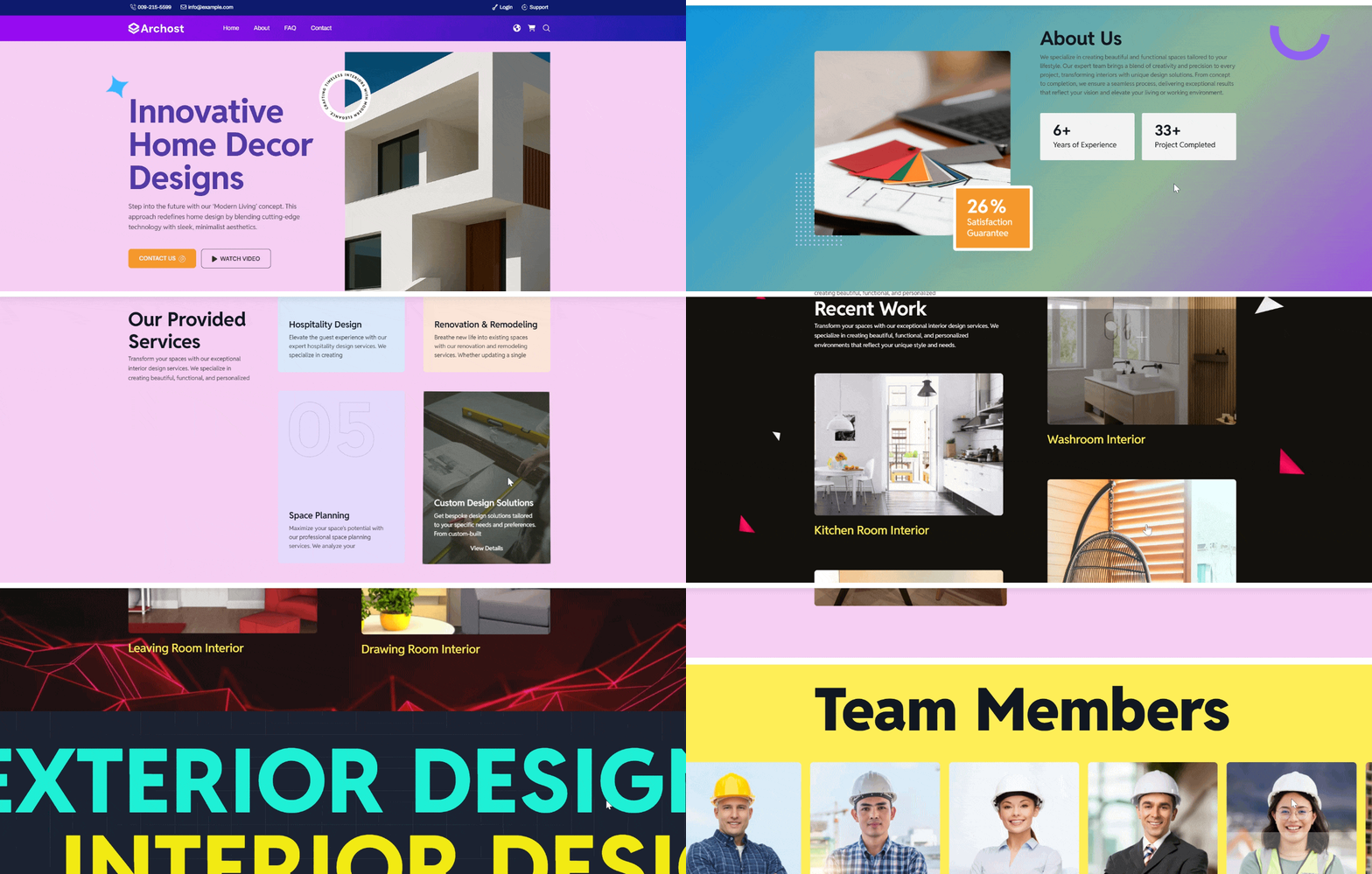
And congratulations! You now have a live architecture website!
Why You Need an Architecture Website
Whether you’re a solo architect, part of a studio, or running a full-fledged firm, a website is your digital portfolio. It works 24/7 non-stop, reaching a massive target of clients.
Here’s why it matters:
1. You can showcase your structural design professionally. You can upload high-quality images, floor plans, and before-and-after visuals.
2. You can eliminate paper-based proposals because your website itself is your digital proposal. Clients can check online before even reaching out.
3. Your website reaches globally as it appears on search engines. This would improve your lead generation.
4. Bookings and inquiries are so easy. You can incorporate contact forms and quote request forms.
Your architecture website is not just your online album. It’s a strategic business tool.
FAQs
1. Is GutenKit beginner-friendly?
Absolutely. You need to drag and drop the widgets to build with GutenKit. Ready-made templates only require you to change the information and elements with your own information and preferences. No coding skills are needed.
2. Can I customize templates fully?
Yes. Every block, color, image, and layout element can be modified. You can upload your own image and replace the default one.
3. Does GutenKit slow down my site?
100% No. It’s lightweight and optimized for fast performance.
4. Can I create a portfolio section with GutenKit?
Yes! GutenKit offers multiple portfolio, gallery, and grid layout blocks perfect for showcasing architecture projects. Simply search for the blocks, drag them, and drop them in the editor.
Is It Possible to Build a Website Without Coding?
Yes! 100%. Tools like WordPress + GutenKit allow anyone to build visually stunning, functional websites without touching a single code. You control everything through an intuitive visual editor.
If you’re an architect looking to build a professional online presence quickly, GutenKit is one of the easiest and most powerful no-code solutions available.
Leave a Reply