



Creating a portfolio website used to feel like only designers and developers can create. But not anymore!
Whether you are a photographer, freelancer, or even an artist, creating a portfolio website is now easy with the use of no-code plugins like GutenKit. You can showcase your skills, credibility, and impressive background to attract clients. Its ready-made templates allow you to create a stunning portfolio website in a minimal effort to dominante the competition.
In this guide, you’ll learn step-by-step how to create a portfolio website professionally with high customization options.
So, let’s dig in!
Overview:
With GutenKit’s ready-made templates and easy drag-and-drop editor, creating your site becomes simple, fast, and beginner-friendly.
Tools you need: GutenKit free and pro
Here’s a quick look at the steps:
➡️ Open a new page and choose a template
➡️ Customize your template design
➡️ Publish your portfolio website
So, what do you think? Process is simple, straightforward, and fast.
Table of Contents
What is a Portfolio?
A portfolio is an assembly of your best works, achievements, and skills presented in a way that demonstrates your expertise. It serves as your personal brand’s storefront. It’s also a pass to getting clients, employers, or even collaborators. A portfolio website is you and it speaks about you, who you are and what you can do.
Now, why there’s a need to create a portfolio?
Let’s dissect the benefits of having a website portfolio:
- Showcase your work – A portfolio lets your work speak for itself and provides tangible proof of your abilities.
- Build trust and credibility – Clients and employers want to see evidence of what you’ve accomplished.
- Stand out from competitors – A professional-looking website helps you make a lasting impression.
- Generate leads – With a well-structured portfolio, you can attract inquiries, collaborations, and even job offers.
…….and who needs a portfolio?
A portfolio is for anyone who needs to display their work visually or professionally. This includes:
- Freelancers (designers, developers, writers, marketers, etc.)
- Artists, photographers, and illustrators
- Agencies and studios
- Students and professionals seeking employment
- Entrepreneurs showcasing their brand’s services
So, if you are any of that and you want to be noticed online, you need a portfolio.
Most Important Parts of a Portfolio Website
A strong portfolio website usually includes:
- Homepage – A clean introduction to who you are and what you do.
- About Me/Us Page – Share your story, experience, and values.
- Portfolio/Work Showcase – High-quality images, case studies, or project breakdowns.
- Testimonials or Reviews – Social proof that builds trust.
- Contact Page – Easy ways for people to reach you (form, email, social links).
- Call-to-Action (CTA) – Encouraging visitors to take the next step, like booking a call or requesting a quote.
Step-by-Step: How to Create a Portfolio Website Using GutenKit
GutenKit is a WordPress block plugin that makes building beautiful websites easy, without needing coding skills. GutenKit not only offers beautifully crafted, ready-made portfolios that are highly customizable at the same time, but it also offers various templates you can choose depending on the field of your expertise.
However, you need to install GutenKit free and pro versions. Unlike other plugins that require Elementor, GutenKit smoothly works with the Gutenberg editor, which is a more user-friendly option than Elementor. Plus, GutenKit can easily be installed and blocks can easily be added and configured.
Let’s go now to the step-by-step process:
Step 1: Open a new page and choose a template:
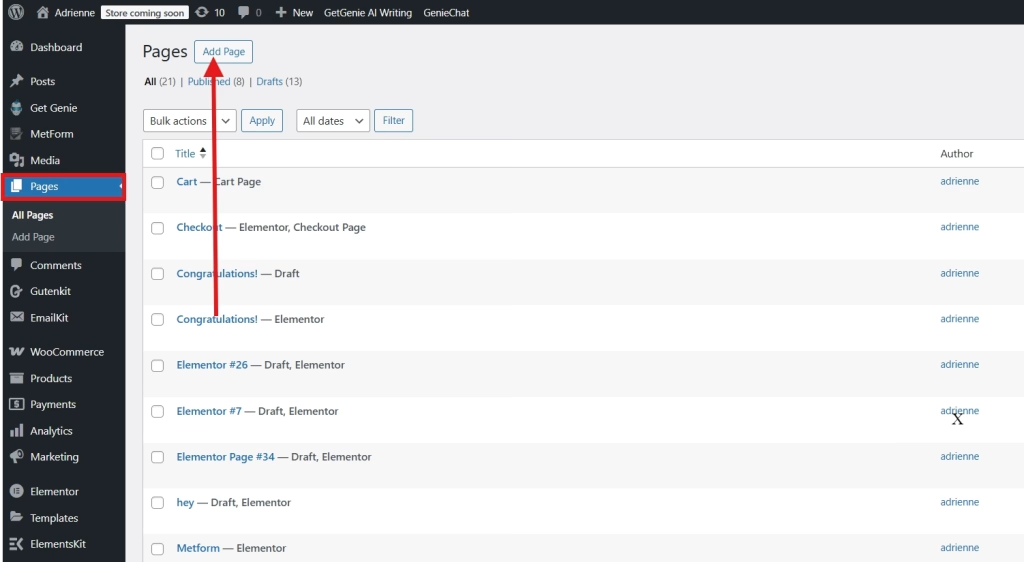
In your WordPress dashboard, look for Pages and Add New Page.
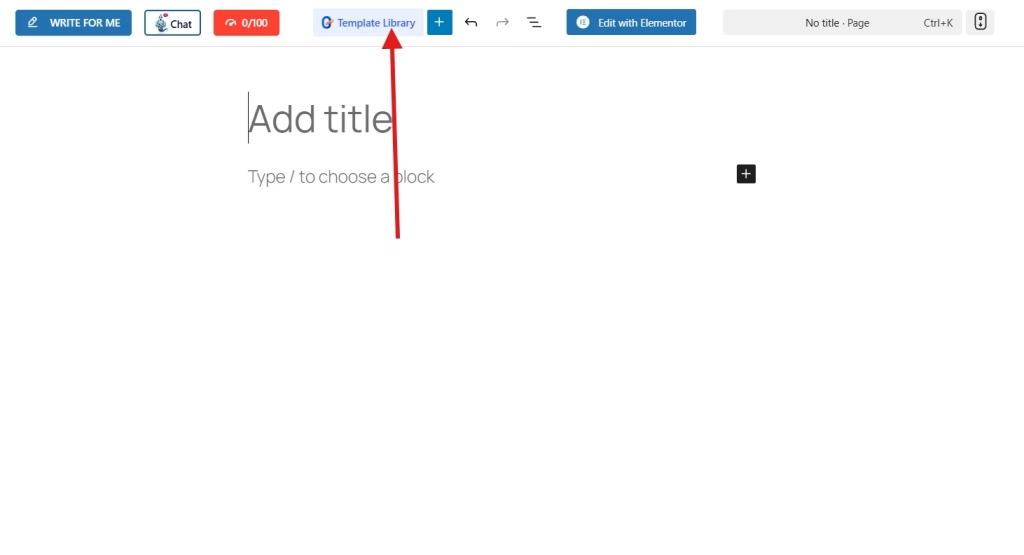
Once in the Gutenberg editor, look for Template Library of GutenKit.
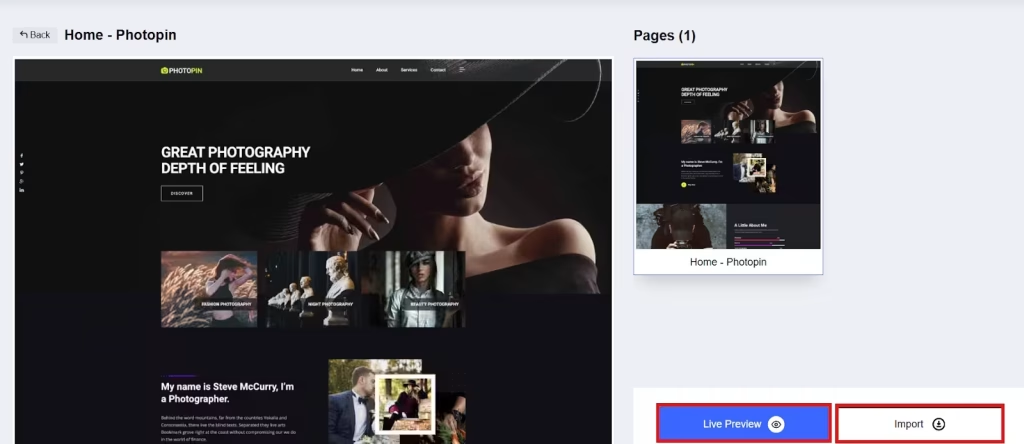
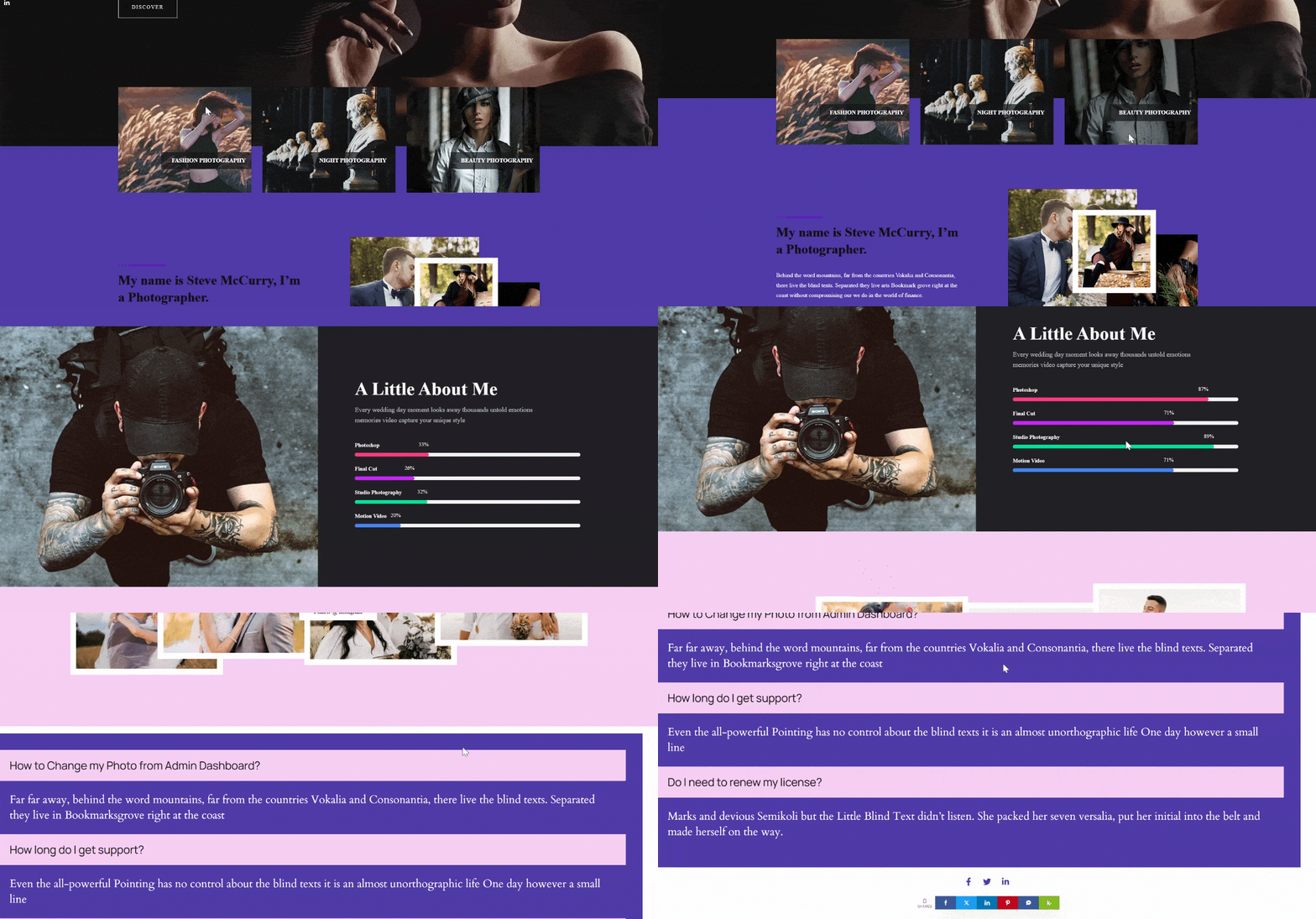
Then look for the Templates tab. Choose the template that suits your purpose and style. In this tutorial, we’ll select the photography template.
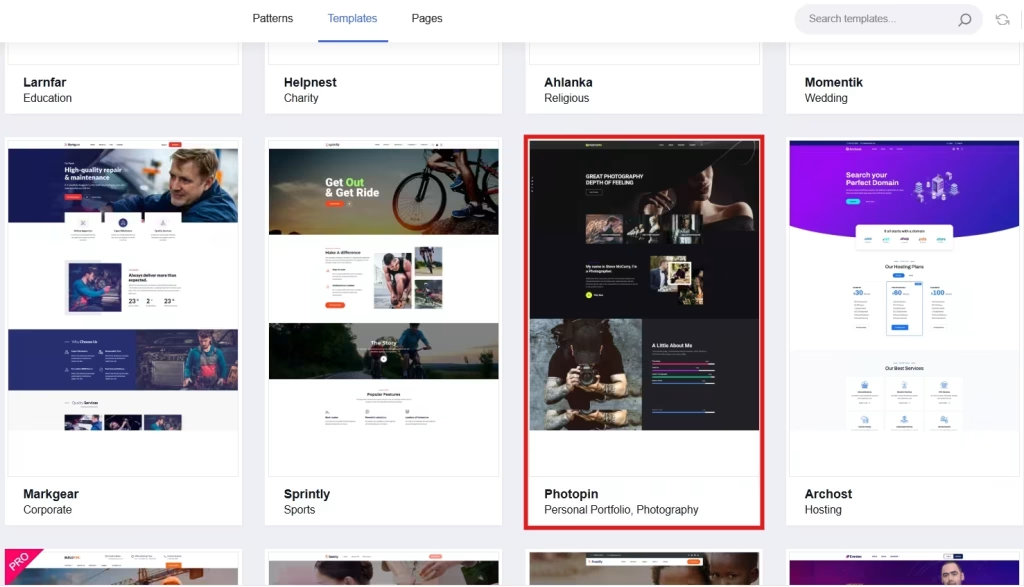
Import the template to add it in your Gutenberg editor. But you can also preview the template first to see what your portfolio website looks like in live.
Step 2: Customize Your Design:
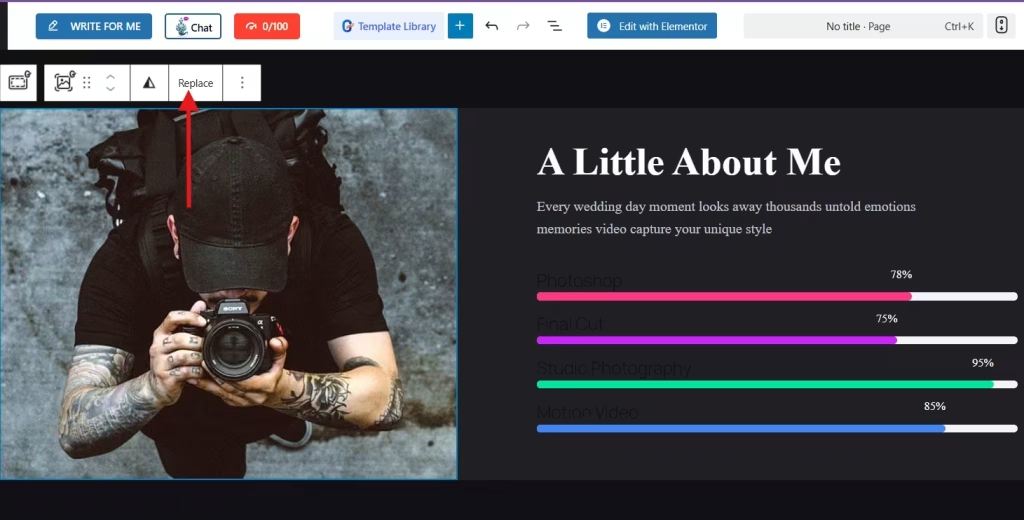
It’s time to customize your website portfolio and change everything to your own information. For example, you want to change the photo. You will need to click on the image and click Replace.
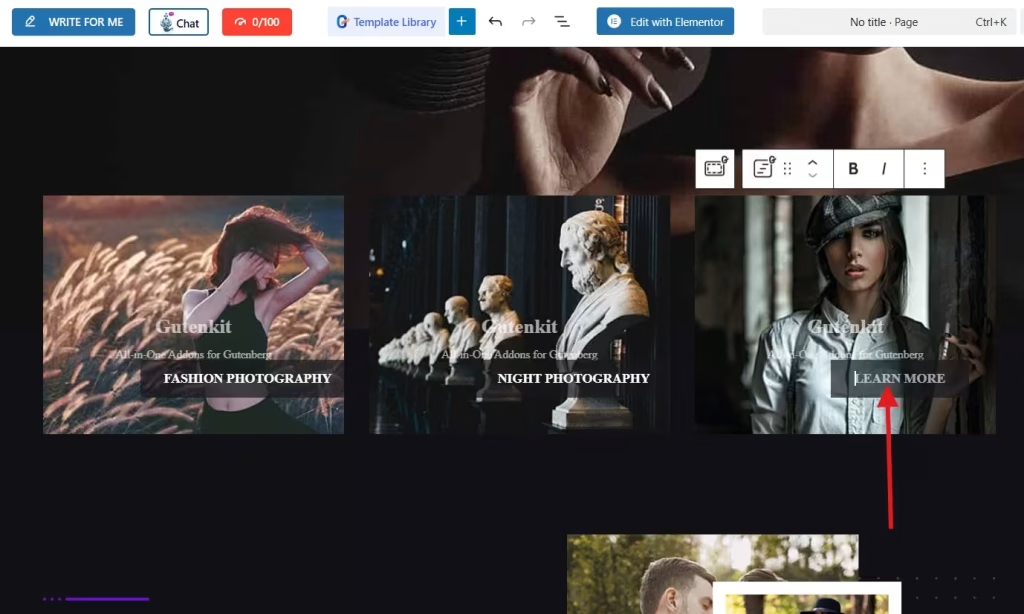
If you want to edit the text, simply click on the text and enter the information you want to display.
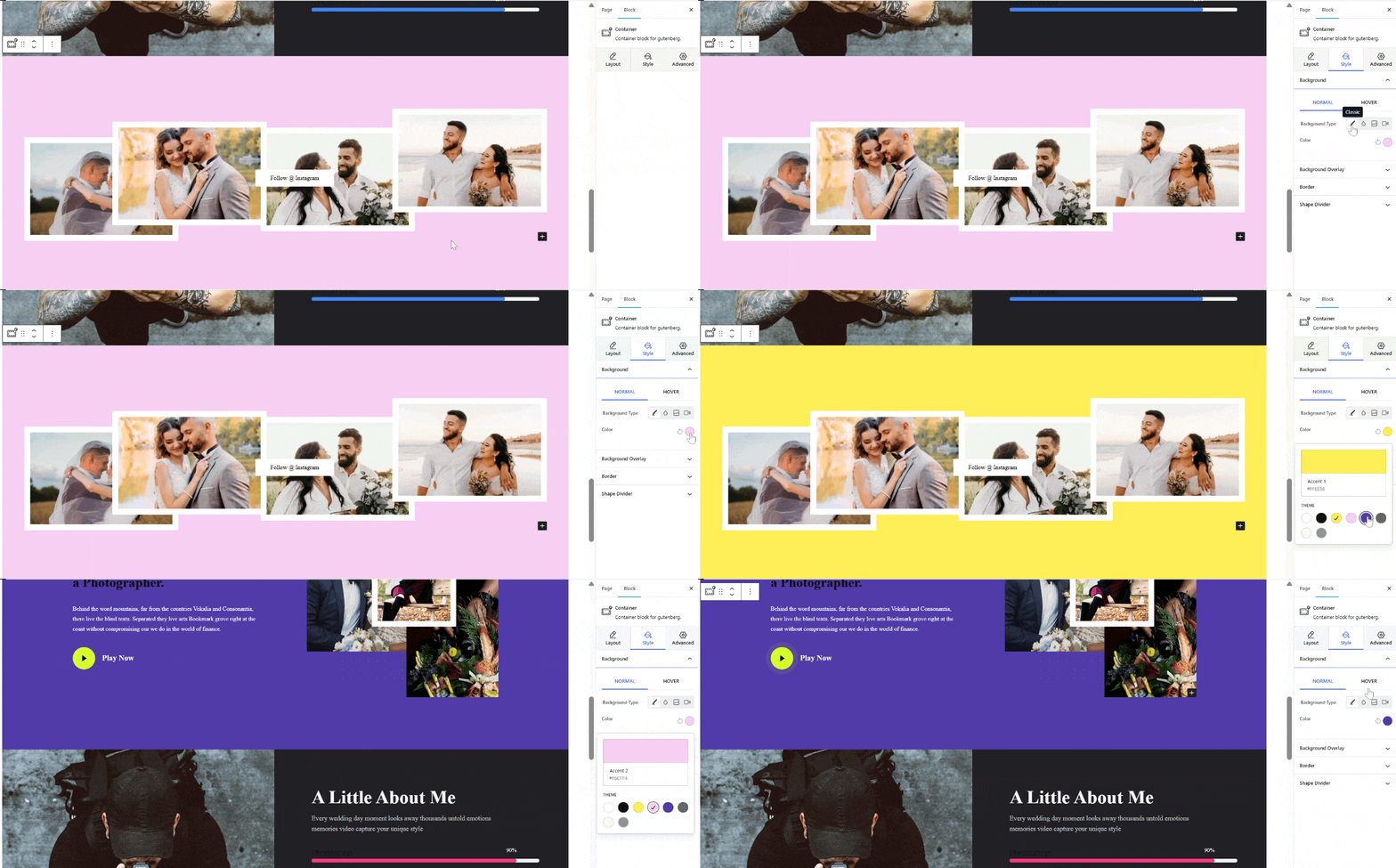
Use GutenKit’s drag-and-drop block editor to change colors, fonts, and layouts. for instance, the default background color of the template is less appealing to your taste. You can simply change it by selecting the section and customizing it through the GutenKit panel at the right side of your screen. Proceed to style settings and select the color that suits your taste. You can choose the classic color, gradient color, or even set a picture or video as your background.
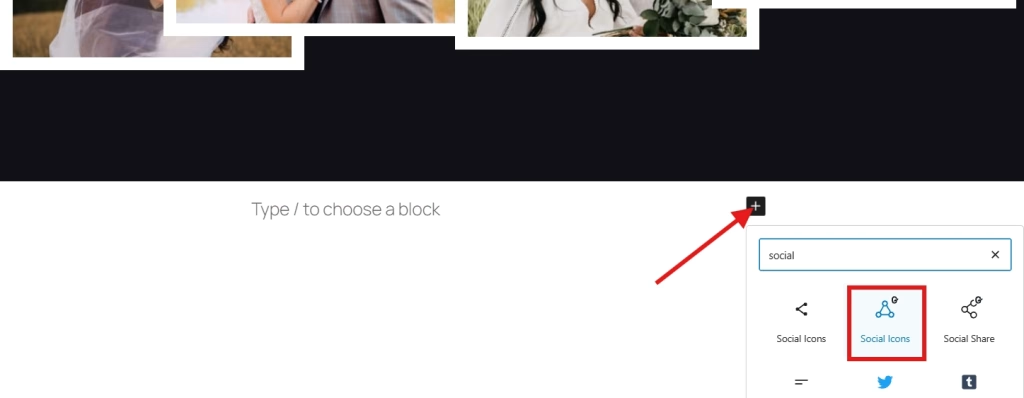
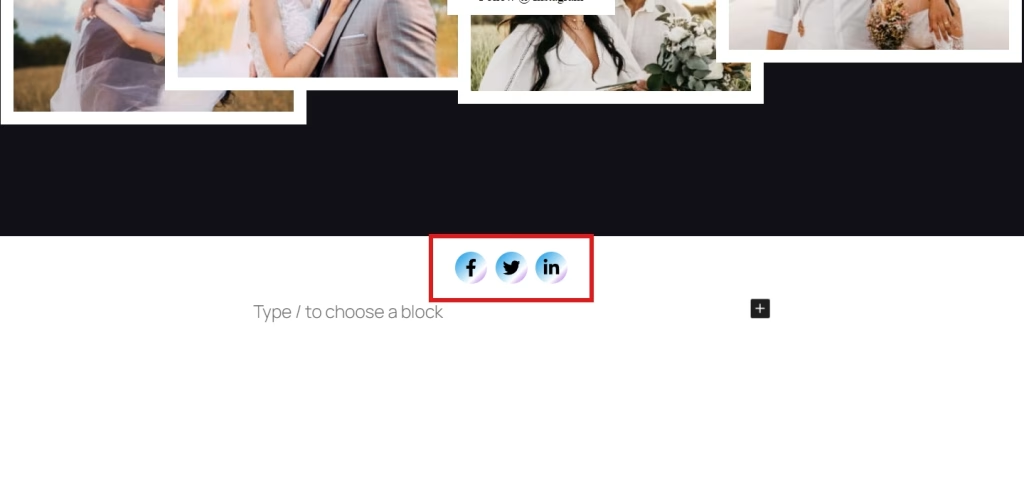
You can also add new sections on your website portfolio. For example, you want to add social icons on to your website. Simply click on the plus icon to add social icon block of GutenKit.
And here’s the added block.
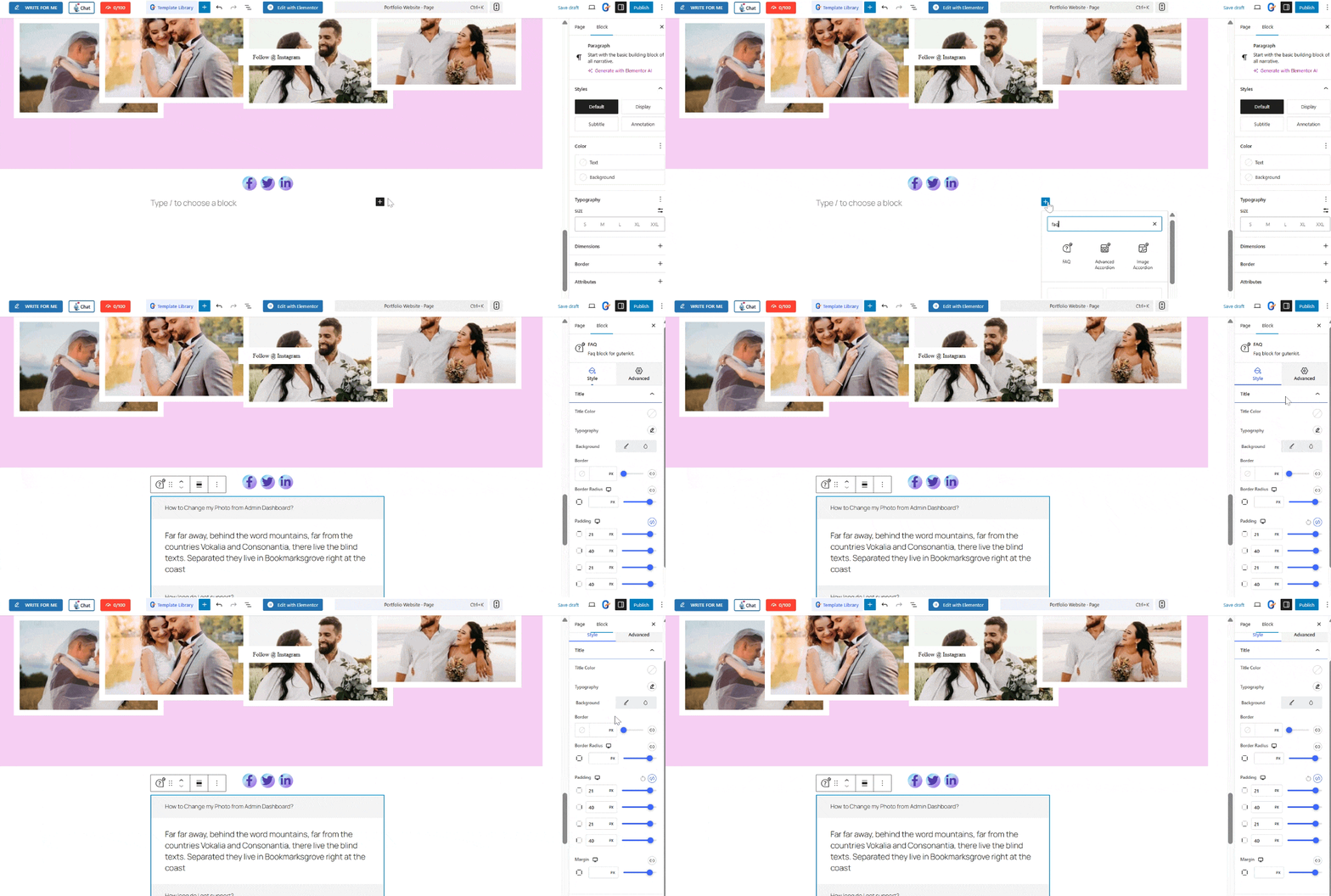
Additionally, you can add FAQ section on your portfolio website. Using the same steps, click on the plus icon (+, block inserter) and search for the FAQ block. Make sure that the block has GutenKit badge. Then design it using the GutenKit panel at the right so that it will match to your website theme.
Step 3: Publish your portfolio website:
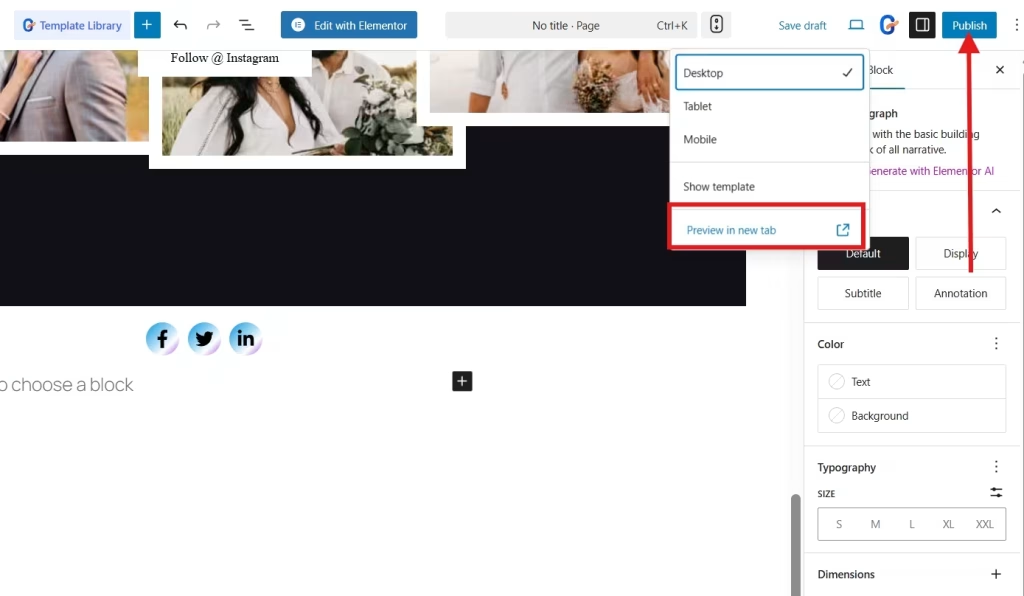
Once you are satisfied with the look of your portfolio, publish it. If you want to see what your portfolio looks like in live, you can preview it to see what needs to be adjusted.
With GutenKit, the process is quick, intuitive, and highly customizable, making it one of the easiest methods to build a portfolio website.
Things to Remember When Creating a Portfolio Website
When designing your portfolio, keep these tips in mind:
- Keep it simple – Avoid cluttering information and focus on your best work. You can plan each section of your website, like what are the section you should include and what information you add in each section.
- Use high-quality visuals – Use clear and best images and other visual materials so it could look professional and eye catching.
- Be consistent with branding – Align the fonts, colors, and layouts of your website with your style.
- Make it mobile-friendly – You don’t need to worry about mobile-responsiveness of your website if you used GutenKit as your Gutenberg website builder. It’s proven to be very mobile-friendly so clients can check your portfolio on their phones.
- Prioritize usability – You can add navigation and mega menus for easy navigation to keep your visitors engaged.
- Update regularly – Keep your portfolio fresh with your latest projects. You can also include your journey in your new projects so clients will be more interested and keep checking your progress.
FAQs
Q: Do you need to know coding to build a portfolio website using this plugin?
A: Big NO! GutenKit is a no-code plugin. You can build your website using its drag-and-drop blocks. You can also opt to its various ready-made templates so you only need to enter your own information and important pieces.
Q: Can you customize the design, layout, and style even without coding?
A: Yes. With GutenKit’s drag-and-drop blocks and pre-built templates, you can change colors, fonts, layouts, and images without writing a single line of code. You don’t need to be a designer or a developer.
Q: Is a portfolio website useful for all kinds of professionals?
A: Yes! It’s beneficial especially for freelancers, creatives, agencies, job seekers, entrepreneurs, and anyone whose work benefits from visual presentation.
Q: How often should you pdate your portfolio website?
A: It’s a good idea to update your portfolio regularly. You can add each finished project or activity to improve your credibility as professional. .
Q: Will having a portfolio website help you get clients or job offers?
A: Yes. A well-structured portfolio website gives evidence of your work and professionalism. Portfolio website creates strong first impression, and differentiate you from your competitors. Most clients prefer to see actual examples rather than just a résumé.
What Do You Think?
Creating a portfolio website is really that easy right? It’s not stressful, it’s fast. You don’t have to be an expert designer. In seconds, your portfolio website is ready with the right plugin like GutenKit.
So, what do you think? Try it yourself and you’ll be fascinated with the easy and fast process!
Start building now!
Leave a Reply